


Borumi helps you script, record, and edit amazing videos without the complexity of Camtasia.
No subscription required.
Available for macOS and Windows.


Ready for another boring screen recording? No thanks.
Thanks to Borumi's smooth cursor, automatic zooms and 4K resolution, your screen recordings will always look beautiful.

Camtasia forces you into a subscription. Borumi doesn't. Pay once and it’s yours for life, including updates. Over 5 years, that can save you over $800.
Camtasia cost calculated at $184 per year over five years.

Recording the whole video at once can be a daunting task.
Borumi makes it easy to record each scene individually. This way, you can reduce mistakes and fly through the recording process.
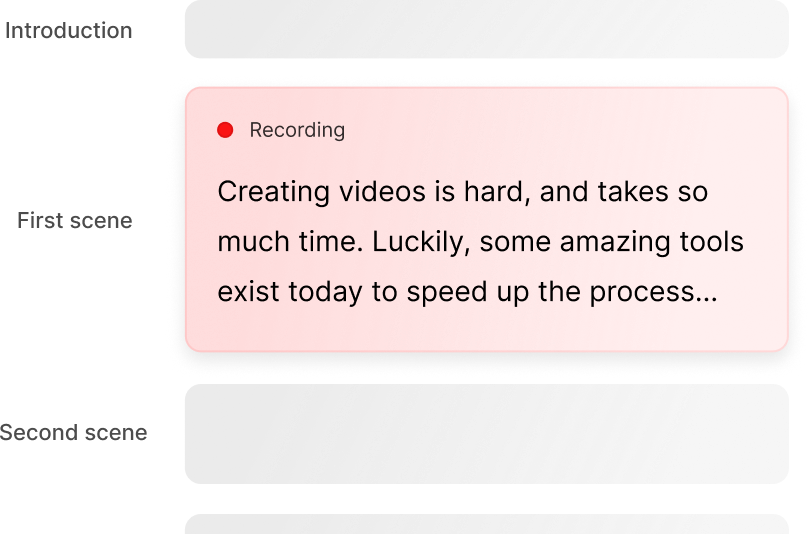

Borumi lets you add text, images, videos, music, and captions to your videos, without the complexity of Camtasia.

Are you wasting hours editing your videos in Camtasia? In Borumi, you can remove silences in one click, saving you hours.

Borumi comes with a powerful teleprompter that automatically follows your voice, so you never get lost while recording.
Before Borumi, I was spending (or wasting) a lot of time making videos and it was killing the motivation to create more.
Luckily, I found Borumi at the right time, and the whole experience is delightful every time I create! You should get it!
Product Engineer and Educator
Borumi makes recording and editing videos so much easier.
I've been able to double my output with the same amount of work thanks to Borumi.
Entrepreneur and Course Creator
Borumi helps me record my screen every day, whether it's for work presentations or content creation.
When I make tutorials on TikTok or YouTube, Borumi ensures high-quality screen capture with a professional, polished result — thank you, Borumi!
IT Technician and Content Creator
Comparison
| Feature | Borumi | Camtasia |
|---|---|---|
| Use cases | Tutorials, video courses, product demos, and content marketing. | Tutorials and video courses. |
| Platform | macOS and Windows | macOS and Windows |
| Pricing | One-time license for $79 with lifetime updates | Subscription at $184 per year |
| Recording | Record camera, screen, microphone, and system audio | Record camera, screen, microphone, and system audio |
| Import external videos | Supported | Supported |
| 4K export | Supported | Supported |
| Captions | Supported | Supported |
| Smooth cursor movements | Supported | Supported |
| Zoom-in effects | Supported | Supported |
| Add text | Supported | Supported |
| Add images | Supported | Supported |
| Add music | Supported | Supported |
| Backgrounds | Supported | Supported |
| Cursor effects | Supported | Supported |
| Cursor customization | Supported | Supported |
| Blur sensitive areas | Supported | Supported |
| Camera zooms | Supported | Possible, but not easy to use |
| Transcript-based editing | Supported | Not supported |
| Script editor | Supported | Not available |
| Teleprompter | Voice-following teleprompter | Not available |
| Automatic edits | Remove silences automatically | Not supported |
| Automatic face centering | Supported | Not supported |

Available for macOS and Windows
Available for macOS and Windows
Try Borumi for free, and when you're ready upgrade to the full license.
No subscriptions, no surprises. And if you're still not satisfied, we offer a 30-day money-back guarantee.
If for some reason you're unhappy with your purchase, just let us know.
Available for macOS and Windows