How to Improve Slow Video Exports in Screen Studio
Speed up video exports with our tips; learn simple ways to boost export times using Screen Studio.

Federico Terzi
Updated 1 min read
When working with Screen Studio, you might notice that exporting videos takes longer than expected. This issue becomes particularly noticeable when you’re working with high-resolution content. For example, exporting a 4K video can stretch into hours, which can be frustrating when you need to produce content quickly.
Approach 1: Enable Accelerated Hardware Encoding
You can speed up export times by making a simple change in Screen Studio’s settings.
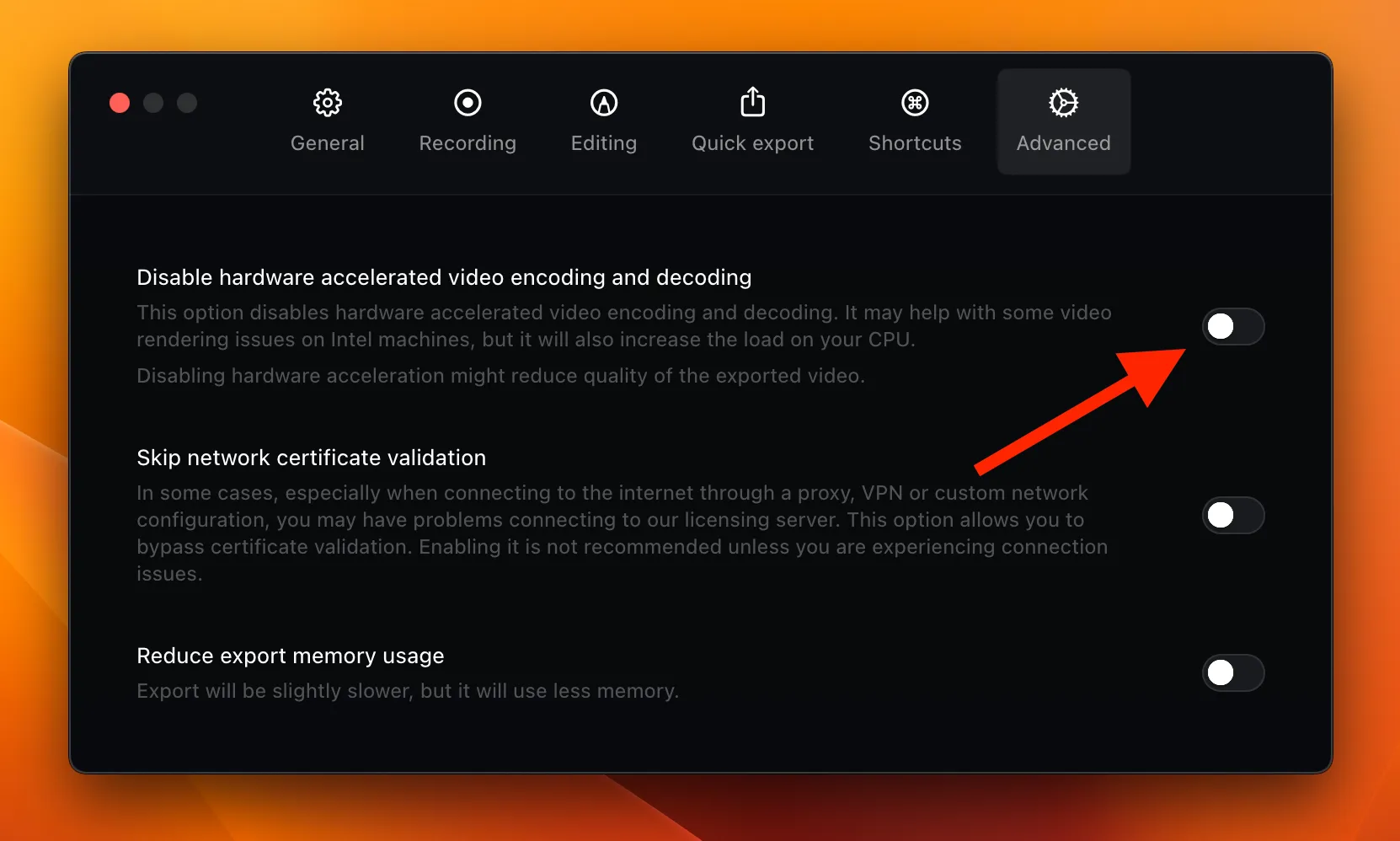
Here’s how to do it:
- Open Screen Studio
- Inside the Menu, click on Settings
- Navigate to the Advanced section
- Look for “Disable accelerated hardware encoding”
- Make sure this option is unchecked
This setting lets Screen Studio use your computer’s hardware to speed up the export process. With accelerated hardware encoding enabled, you should see a notable improvement in export times.
Approach 2: Using Borumi
If you’re still experiencing slow export times after adjusting the hardware encoding setting, consider trying Borumi. This screen recorder is built with speed in mind and offers faster export times compared to Screen Studio.
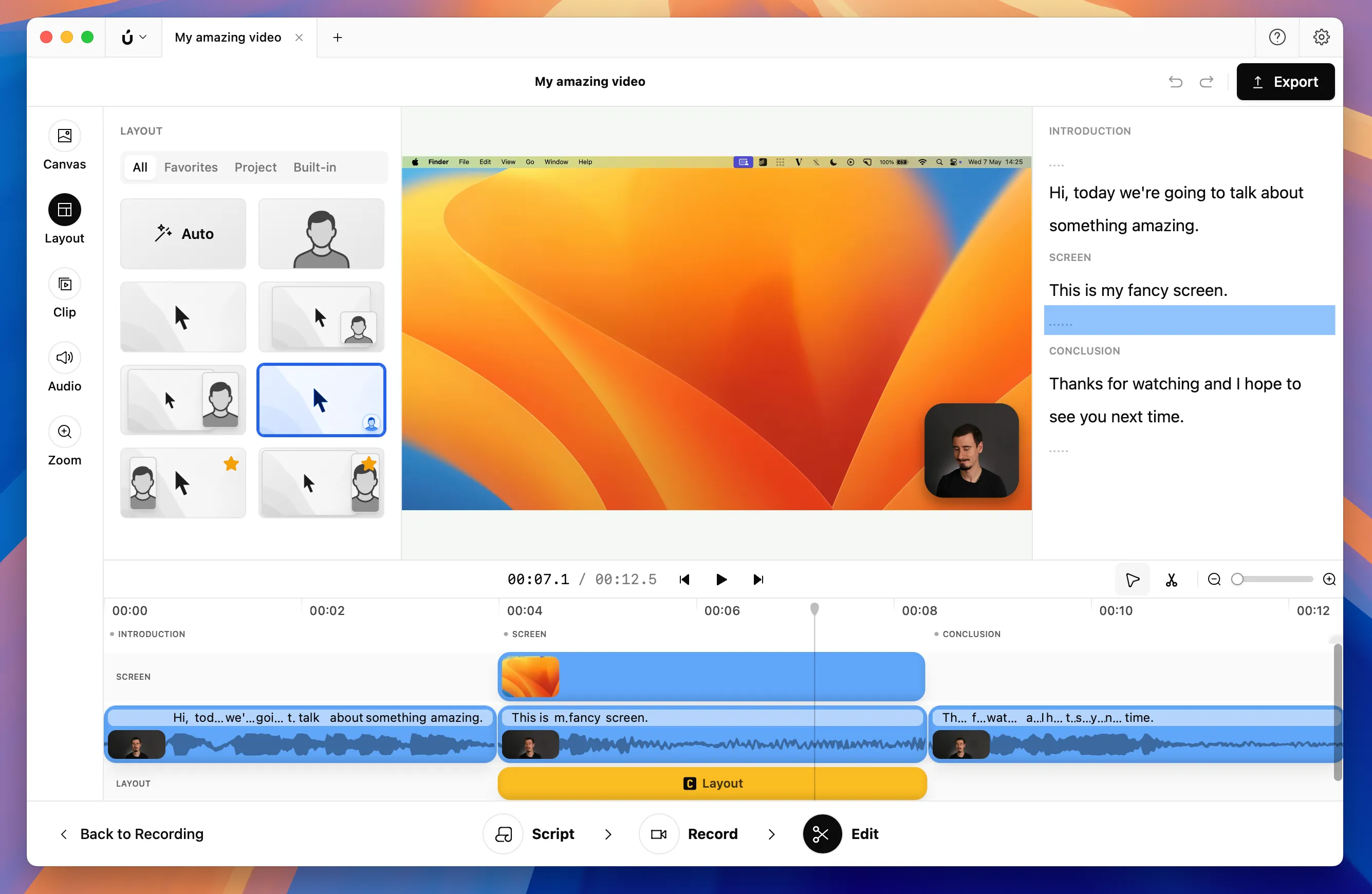
Borumi also includes built-in support for smooth cursor movements and zoom-in effects like Screen Studio, making it a great alternative for creating long-form content without the complexity of professional video editing software.