
Send us a Borumi project
In order to help you solve an issue you experienced, we might ask you to share your project with us. In this tutorial, we will walk through the easiest way to do so.
How to send your project to Borumi support
Section titled “How to send your project to Borumi support”-
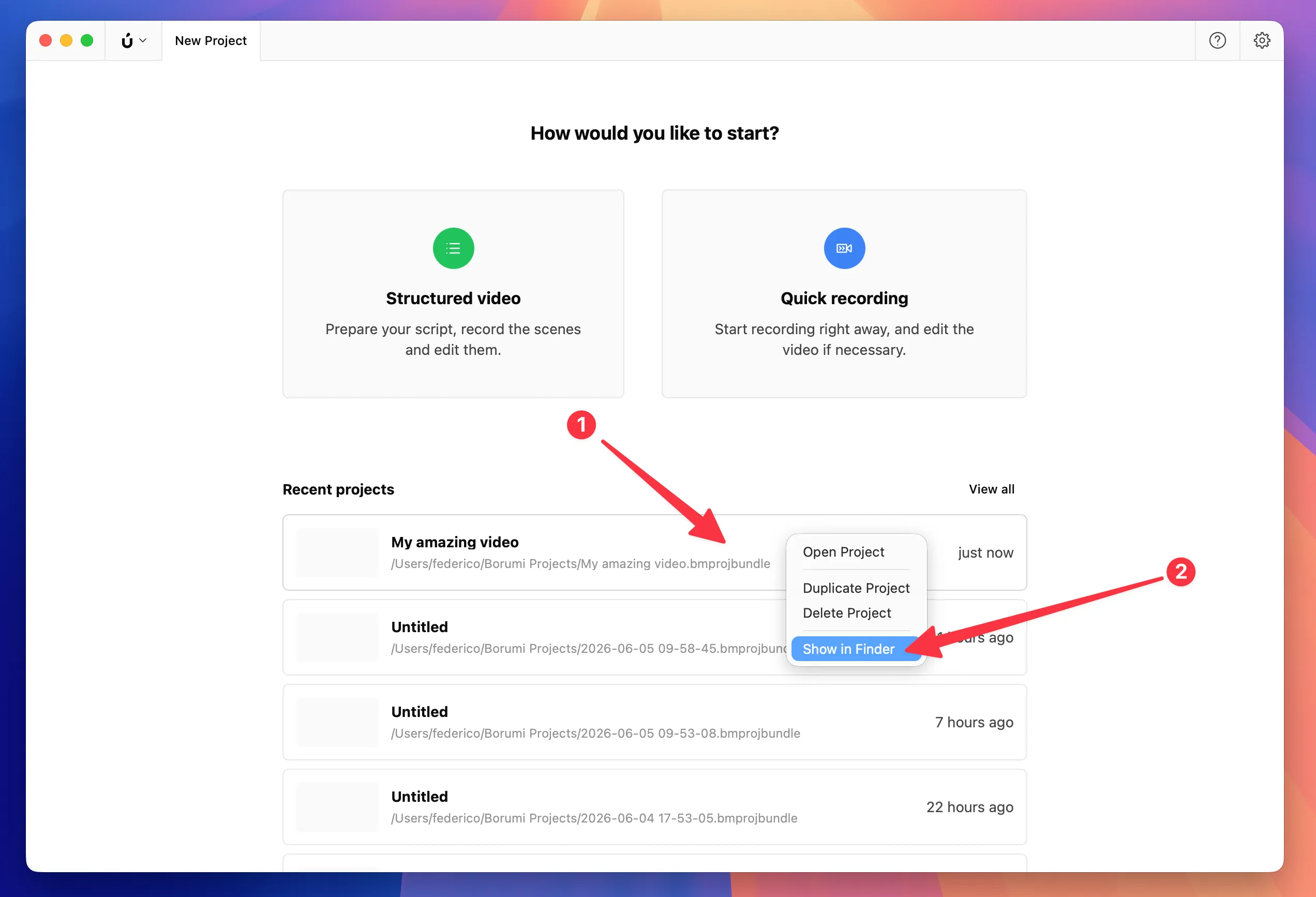
On the Home screen, right-click the project (1), then select Show in Finder (2).
-
In Finder, right-click the selected
.bmprojbundlefolder (1), then select Compress (2).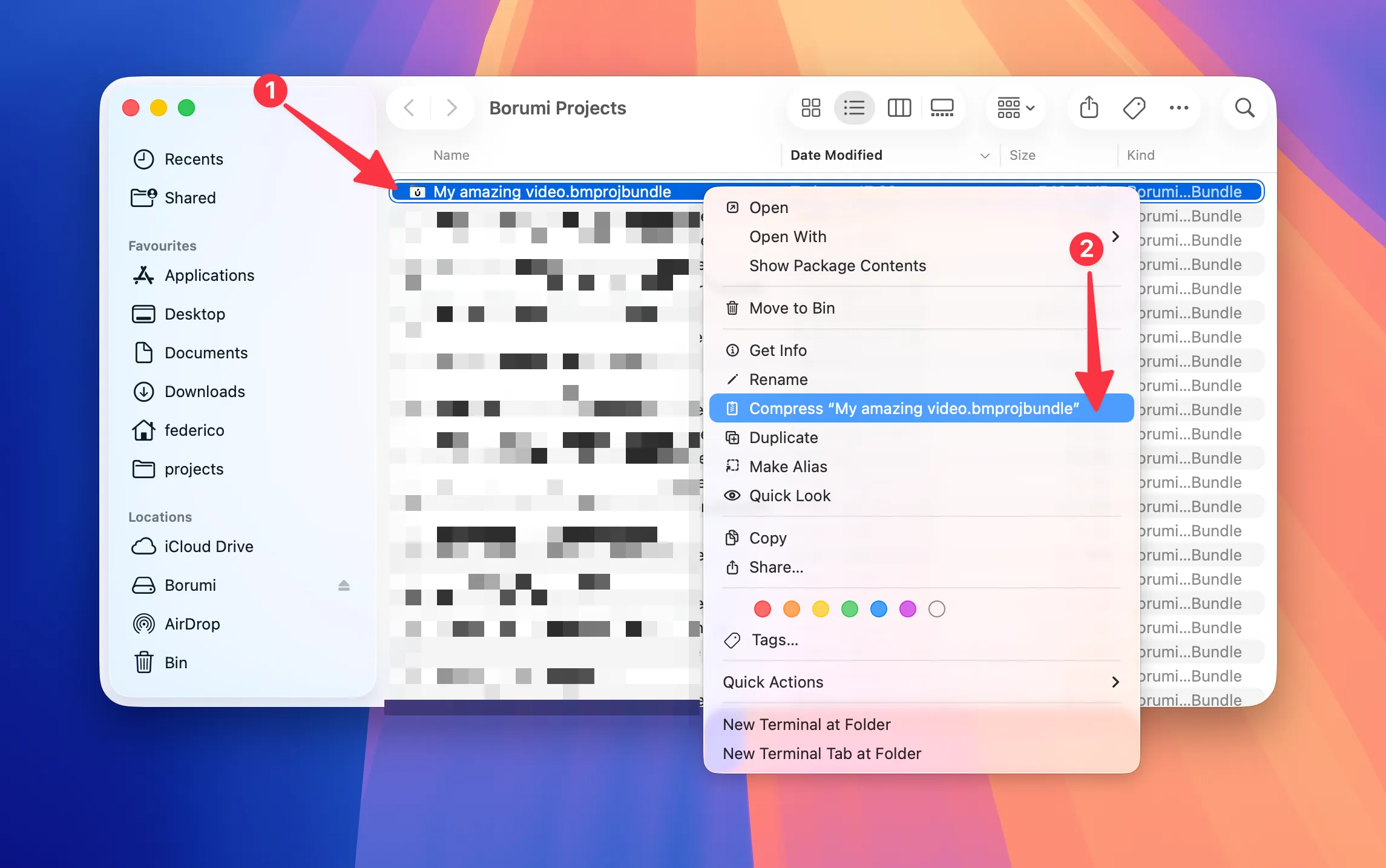
-
Upload the generated
.zipfile using this upload link.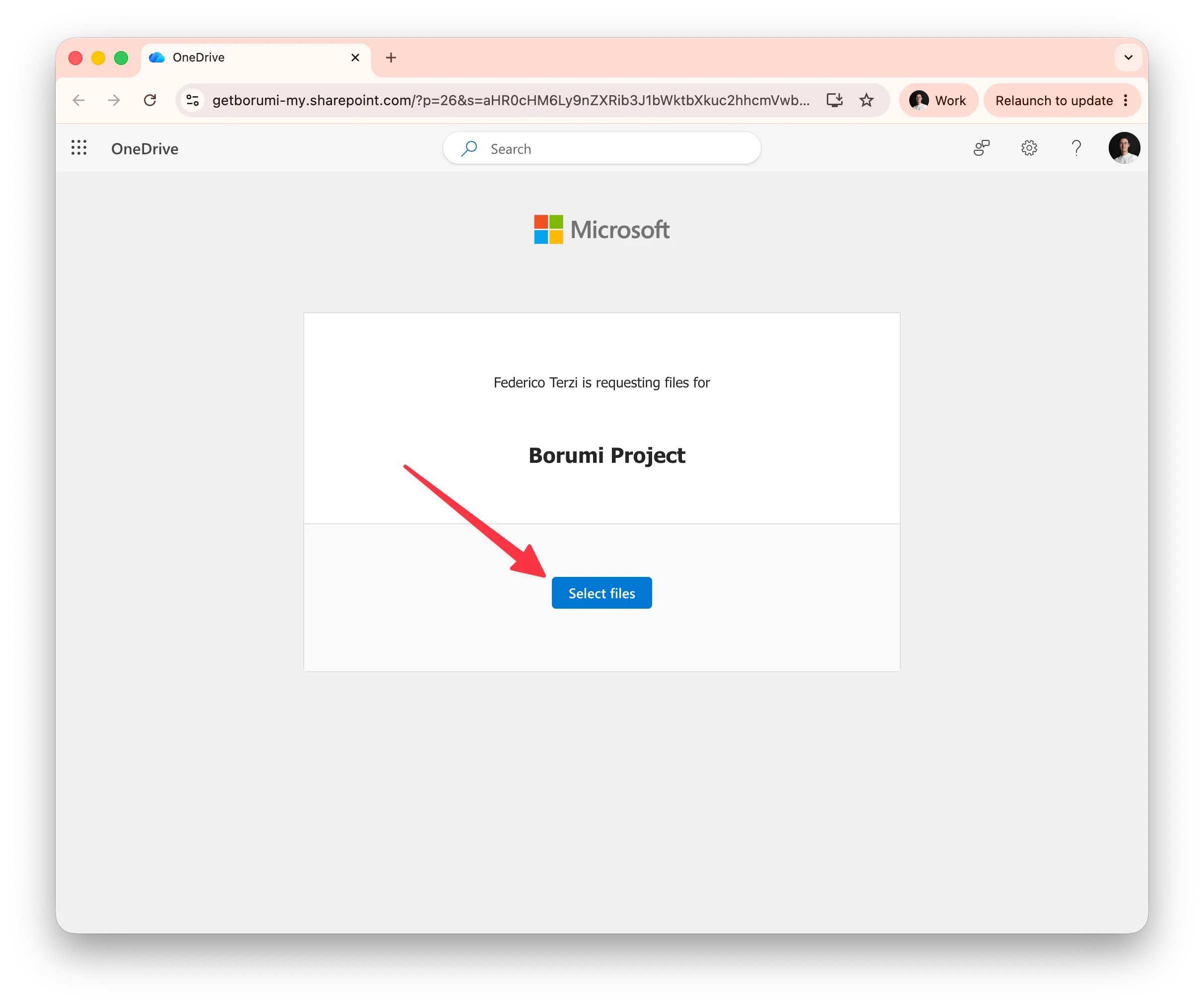
-
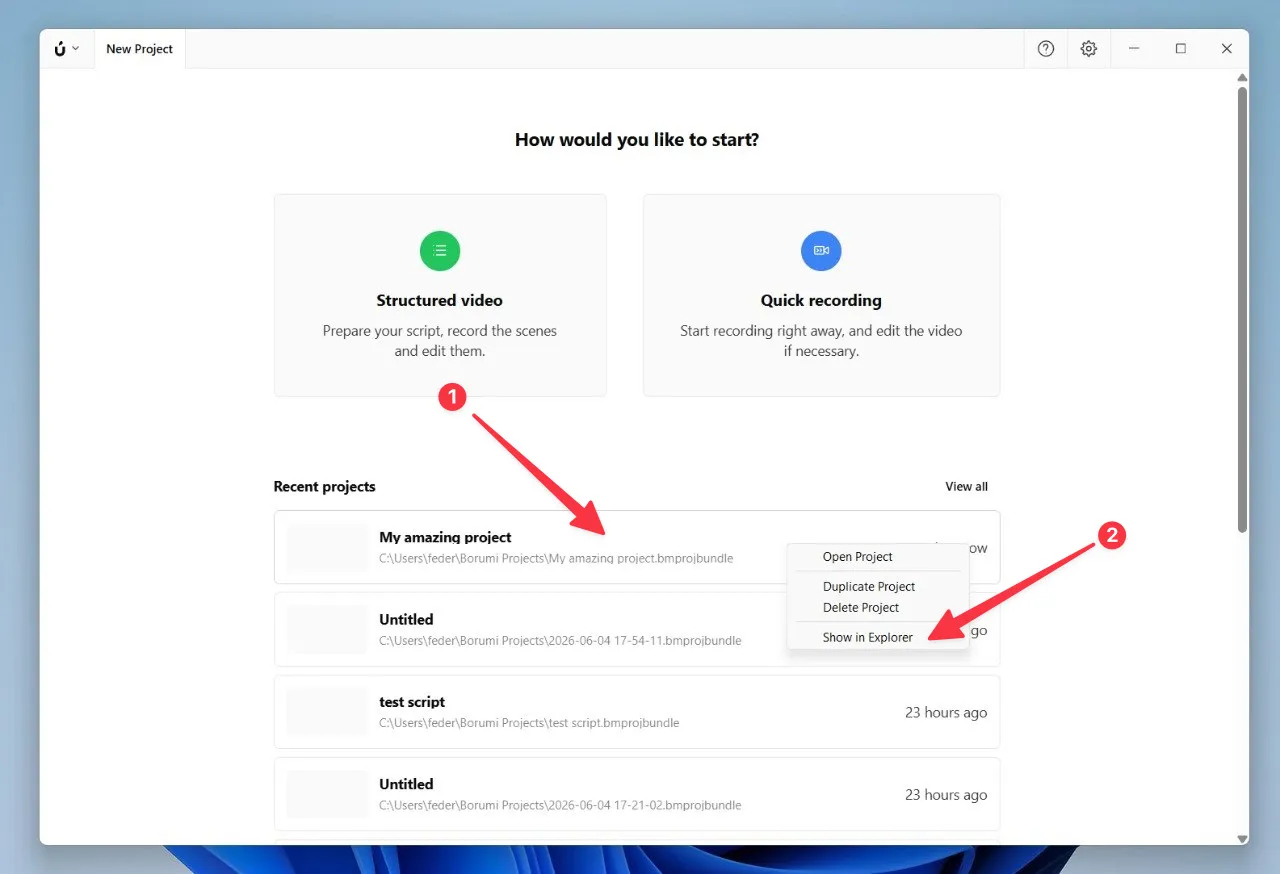
On the Home screen, right-click the project (1), then select Show in Explorer (2).
-
In File Explorer, right-click the selected
.bmprojbundlefolder (1), select Compress to... (2), then select ZIP File (3).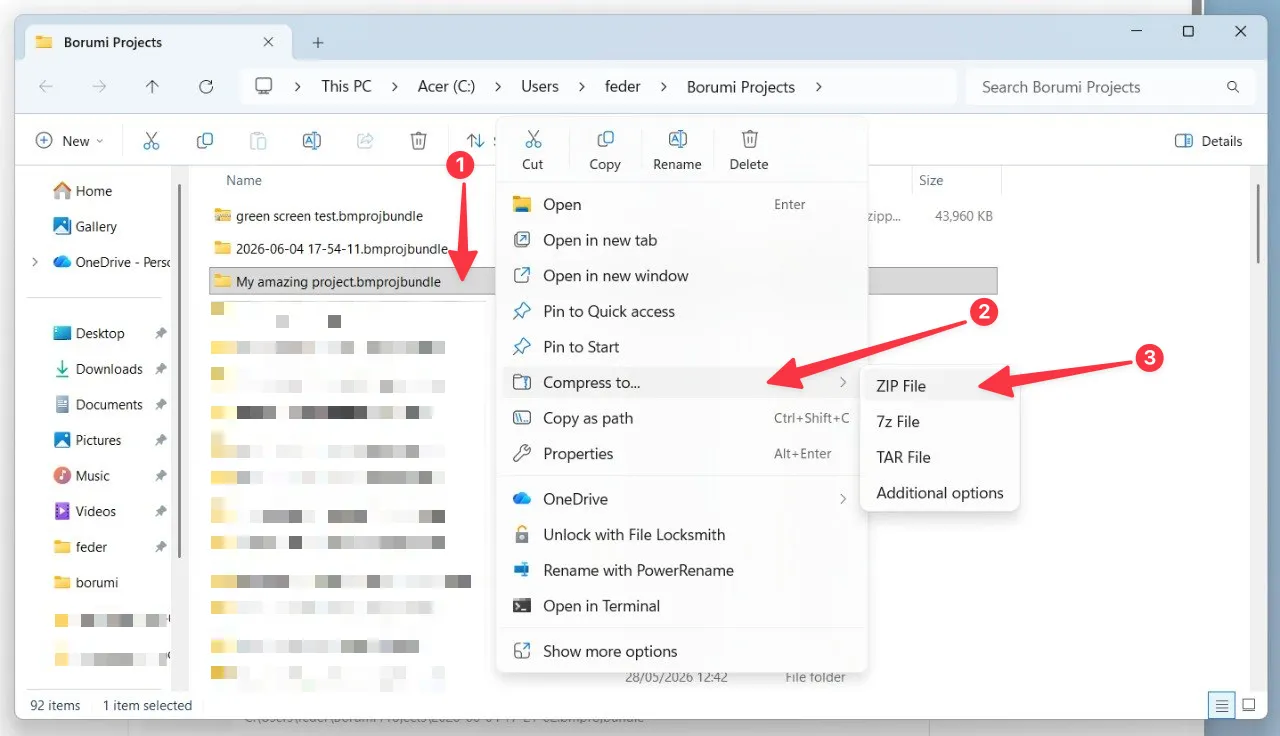
-
Wait for Windows to create the
.zipfile.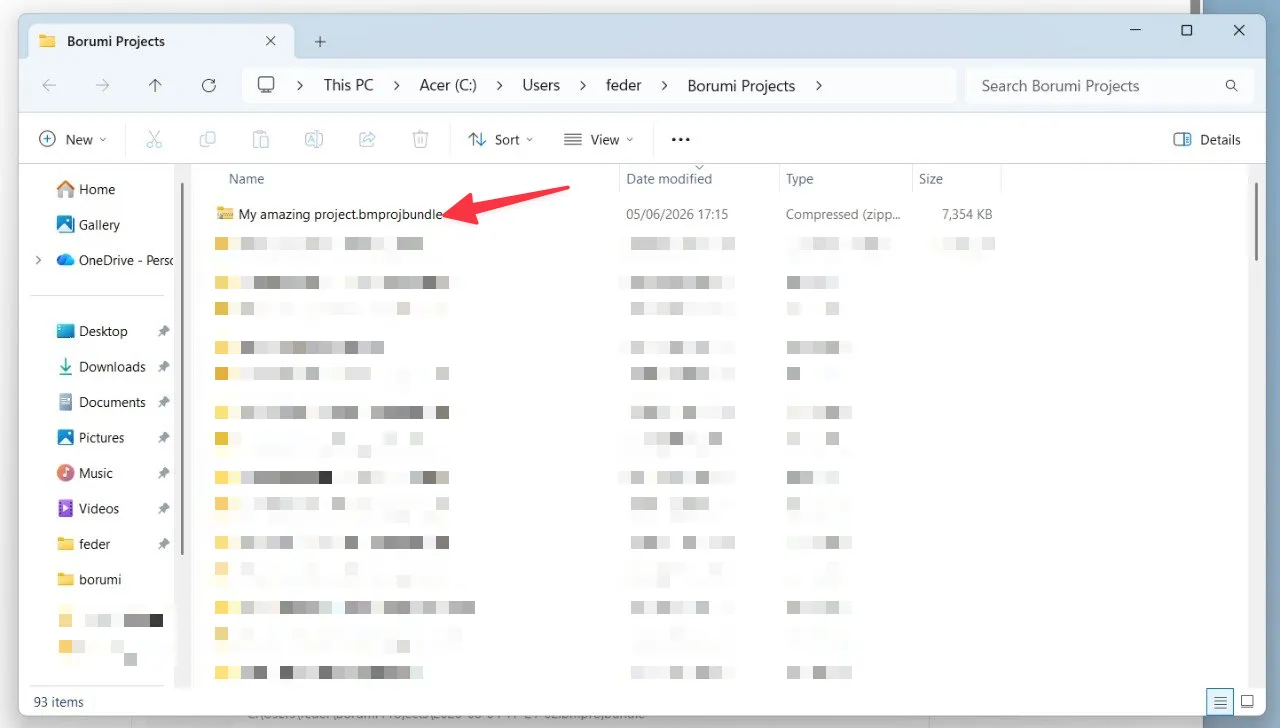
-
Upload the generated
.zipfile using this upload link.
After the upload finishes, we will start an investigation and get back to you as soon as we have more information.