
Connect ChatGPT
Borumi works with ChatGPT out of the box, so you can edit your videos with your AI. This guide shows you how to connect Borumi to ChatGPT.


This video can't be played right now. Please try again later.
Before you start
Section titled “Before you start”- Install the ChatGPT desktop app from chatgpt.com/download, and sign in. ChatGPT on the web can’t connect to Borumi.
- Keep Borumi open while you work with ChatGPT.
Turn on the connection in Borumi
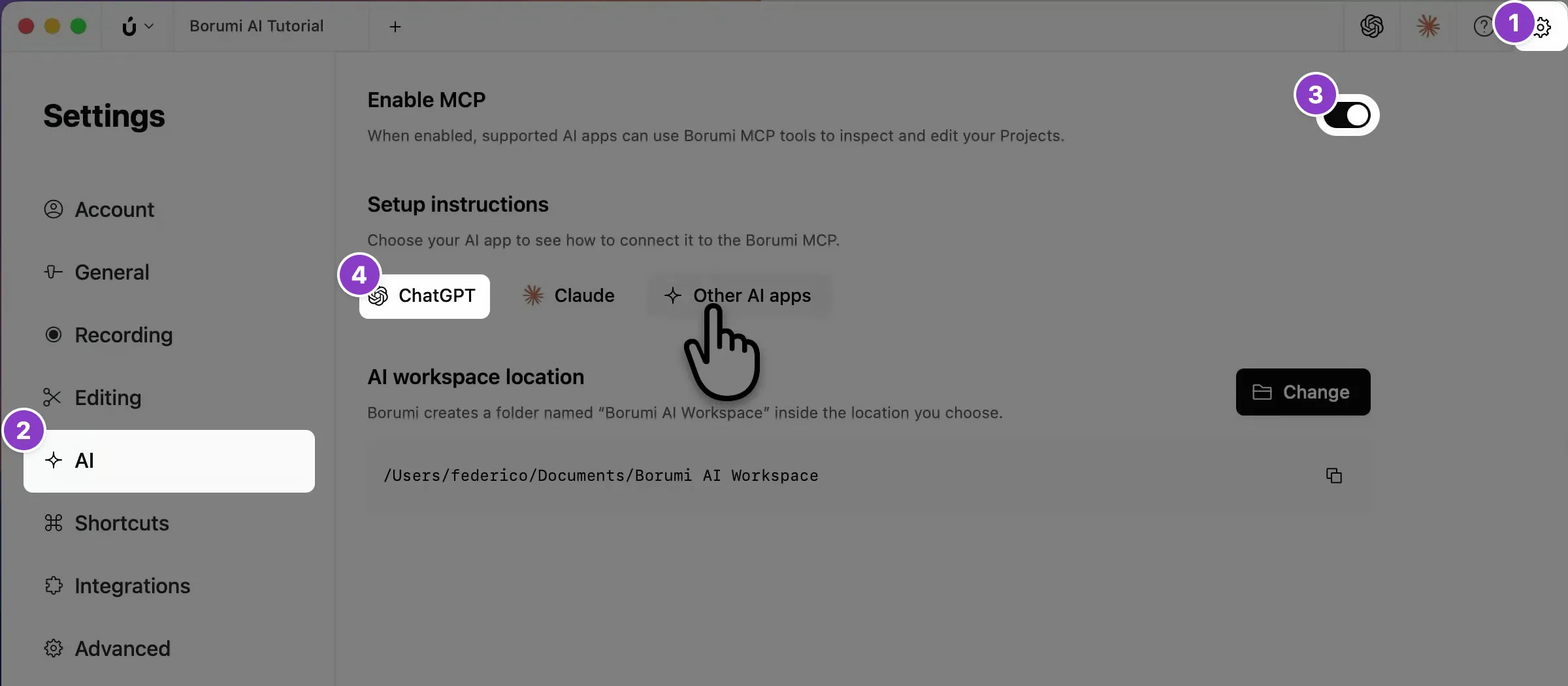
Section titled “Turn on the connection in Borumi”- Click the gear icon at the top right to open Settings, then click AI .
- Turn on Enable MCP. Borumi creates a folder named Borumi AI Workspace in your Documents folder.
- Under Setup instructions, click ChatGPT.
Switch ChatGPT to Codex
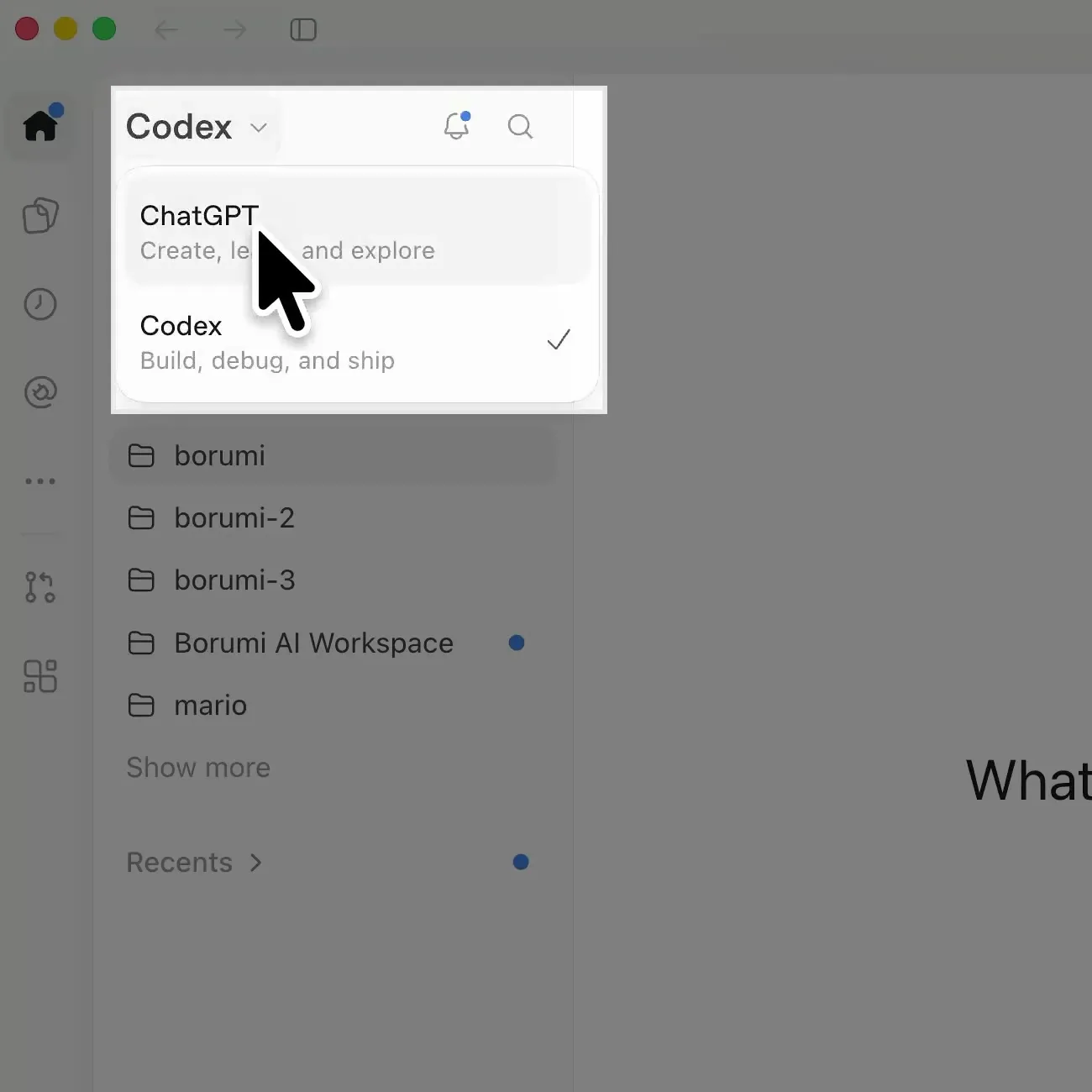
Section titled “Switch ChatGPT to Codex”ChatGPT connects to Borumi through Codex. In the ChatGPT desktop app, click the menu at the top left, which shows ChatGPT, and choose Codex.
Add the Borumi AI Workspace as a project
Section titled “Add the Borumi AI Workspace as a project”- In the sidebar, point to Projects and click +.
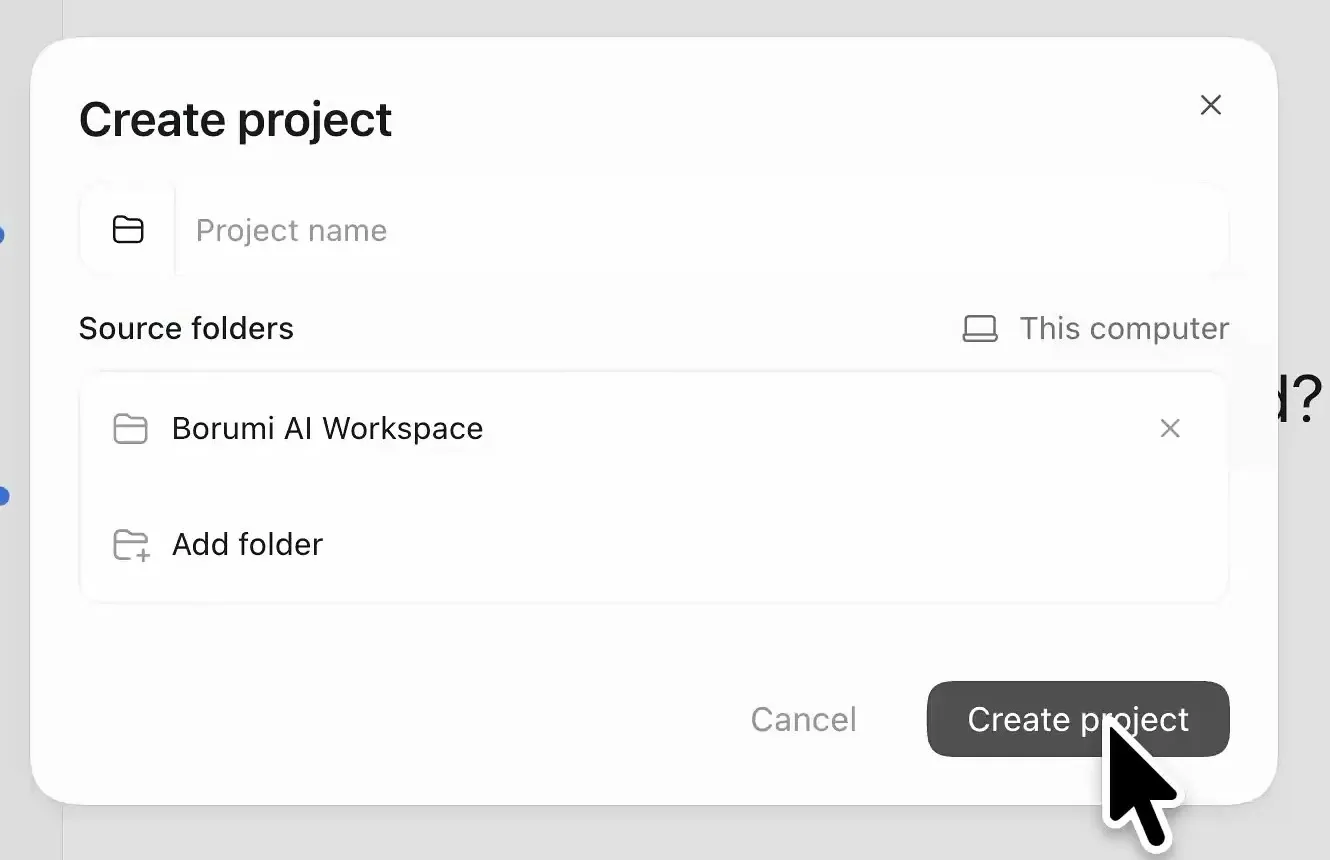
- Under Source folders, click Add.
- Go to your Documents folder, select Borumi AI Workspace, and click Open.
- Click Create project. If ChatGPT asks whether you trust the folder, trust it.
Start your Borumi chats in this project every time: click Borumi AI Workspace in the sidebar.
Check that it works
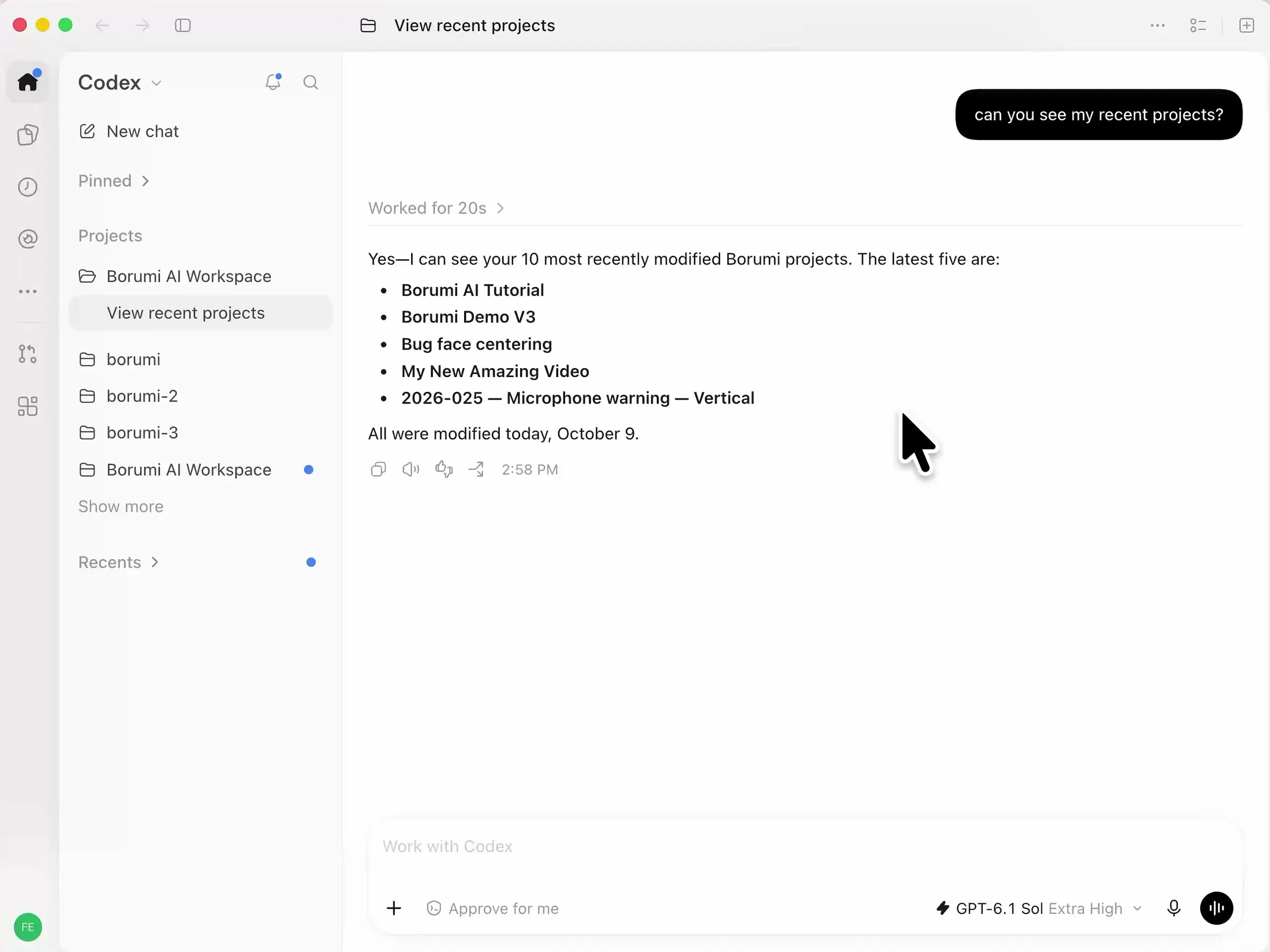
Section titled “Check that it works”Ask ChatGPT:
Can you see my recent projects?
If the connection works, ChatGPT lists your most recent Borumi projects.
What to ask next
Section titled “What to ask next”- Remove silences and mistakes
- Fix transcript errors
- Add effects
- Add motion graphics
- Prepare a video for YouTube
- Repurpose a video
If you don’t like a change, you can always go back. See Undo the AI’s changes.
If ChatGPT can’t see your projects
Section titled “If ChatGPT can’t see your projects”- Check that Borumi is open and that Enable MCP is on in Settings → AI.
- Check that ChatGPT is set to Codex and that the chat is in the Borumi AI Workspace project.