Fix audio and video sync
Borumi keeps your camera and microphone in sync automatically. But some setups, like a DSLR connected through a capture card or USB, or a Bluetooth microphone, can add a small delay. Borumi makes it easy to fix the sync, both before you record and after.


This video can't be played right now. Please try again later.
Which device to adjust
Section titled “Which device to adjust”- DSLR or external camera (through a capture card or USB): the camera is usually late, so adjust the sync of your camera.
- Bluetooth microphone: the microphone is usually late, so adjust the sync of your microphone.
In both cases, -150ms is a good starting point. Then adjust it a little at a time until your lips match your voice.
Adjust the sync before recording
Section titled “Adjust the sync before recording”-
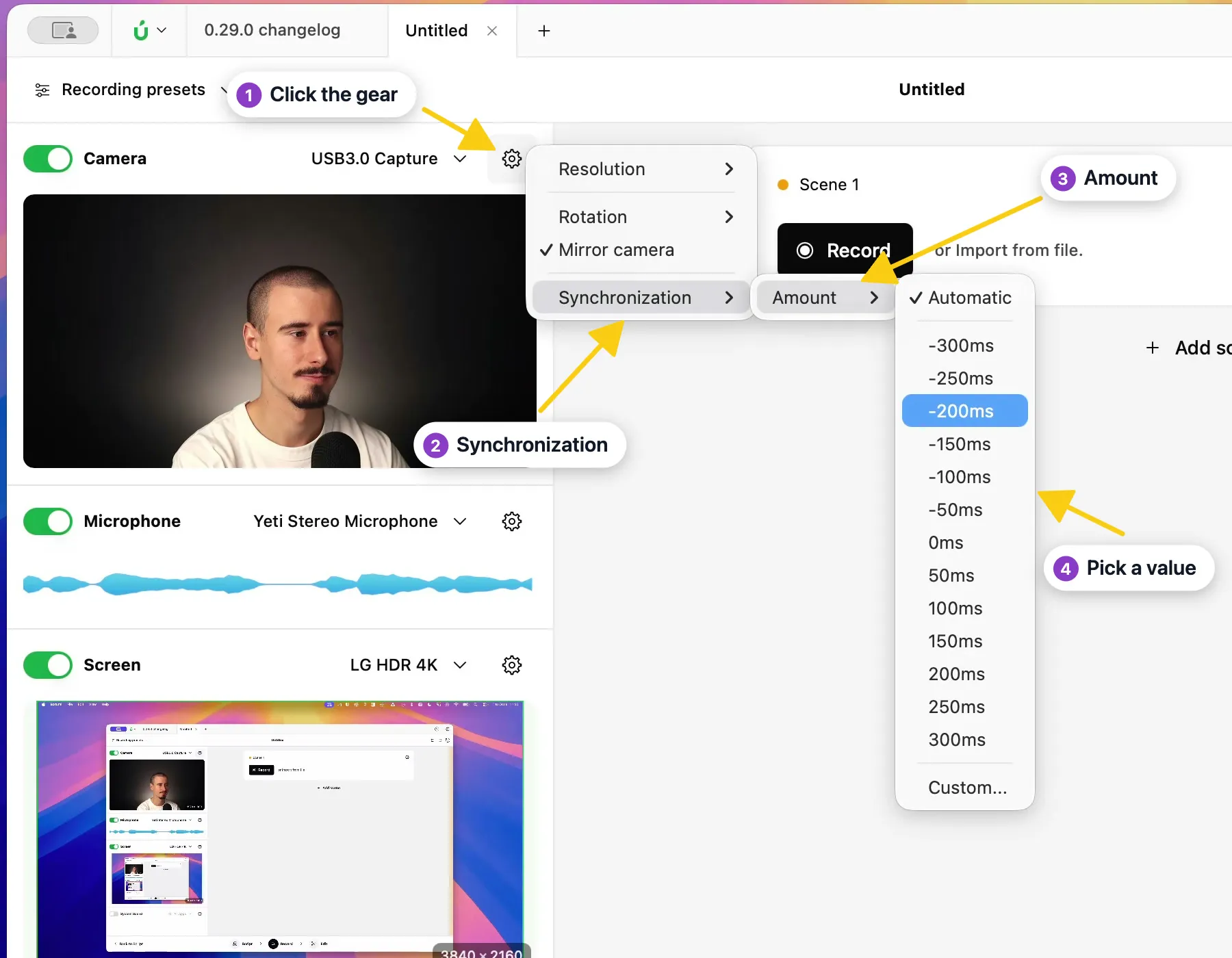
In the Record tool, click the gear next to Camera or Microphone.
-
Choose Synchronization → Amount.
-
Pick a value. As mentioned above, -150ms is a good starting point.
-
Record a short test and check that your lips match your voice. Adjust the value until they do.
Fix the sync after recording
Section titled “Fix the sync after recording”If you already recorded a take and your camera and microphone are out of sync, you can fix it from the take itself:
-
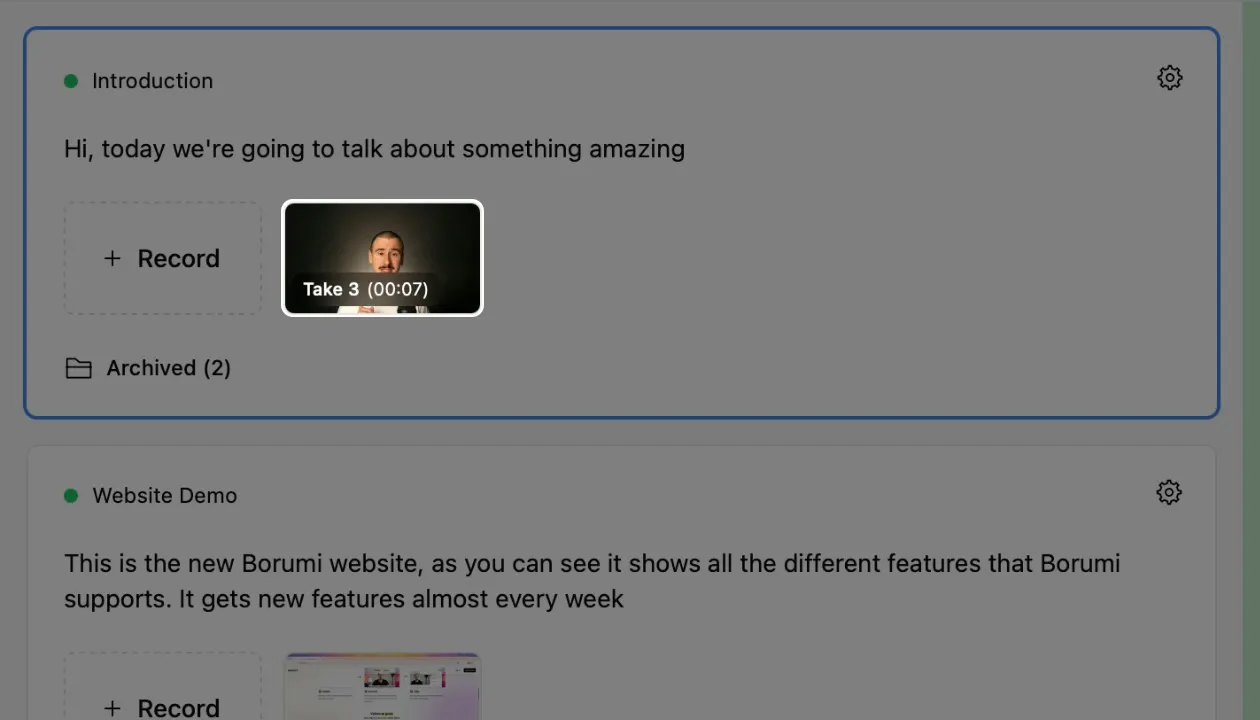
In the Record tool, click the take you want to fix to play it.
-
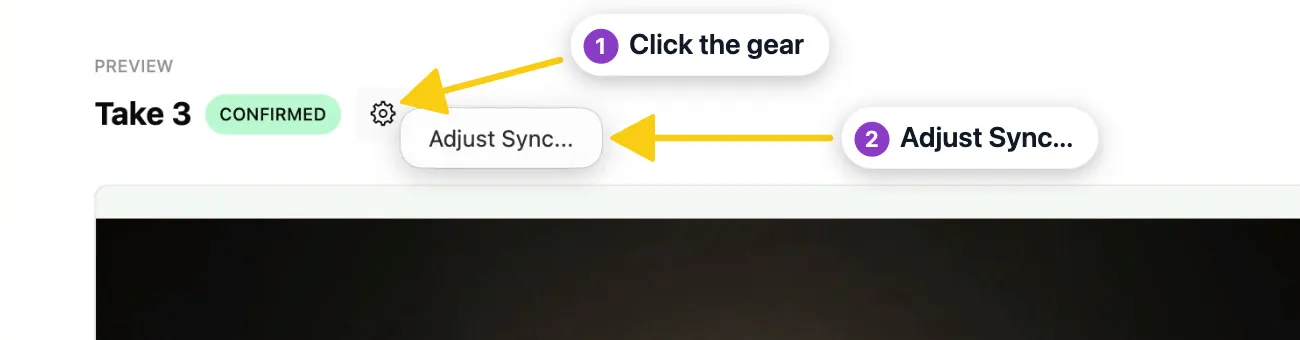
Click the gear next to the take’s name and choose Adjust Sync….
-
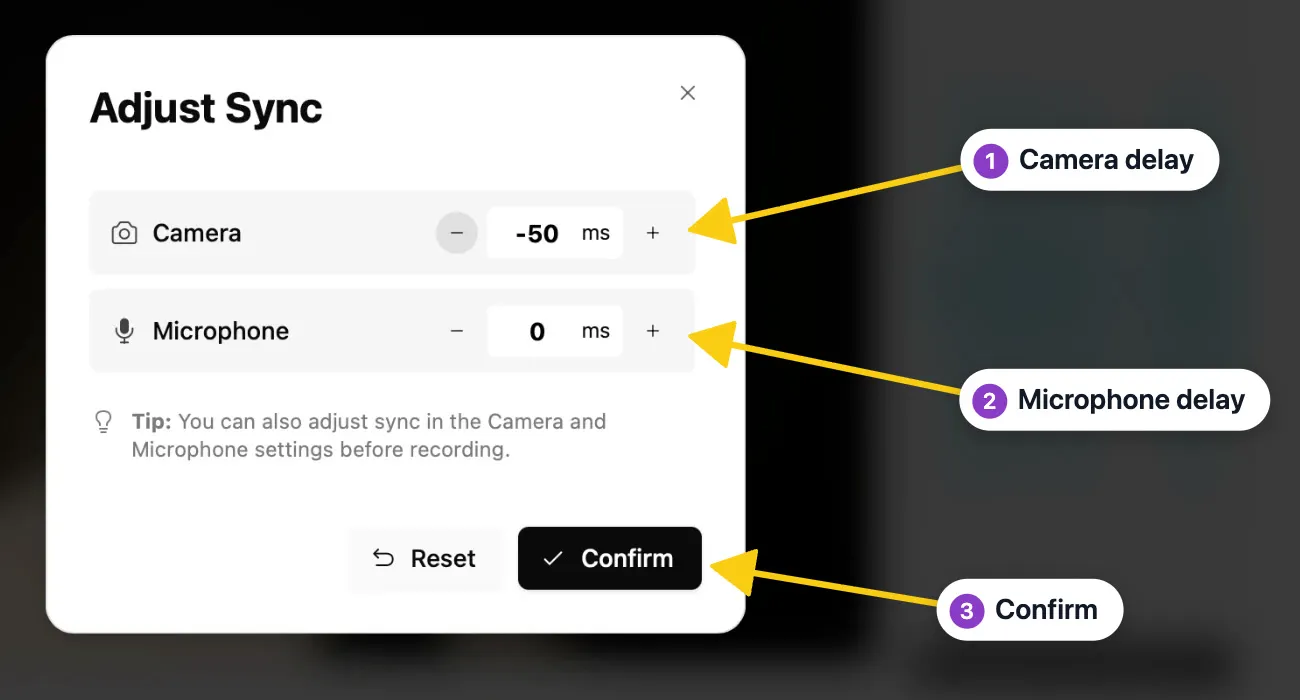
Change the Camera or Microphone delay, then click Confirm. Try a few values until your lips match your voice.