
How Borumi works
Borumi is built around a few simple ideas. Once you understand them, creating videos with Borumi becomes very intuitive.
The Borumi workflow
Section titled “The Borumi workflow”Borumi guides you through every step of creating a video, with one tool for each step. You can use the bar at the bottom to move between them, and you can go back and forth at any time.
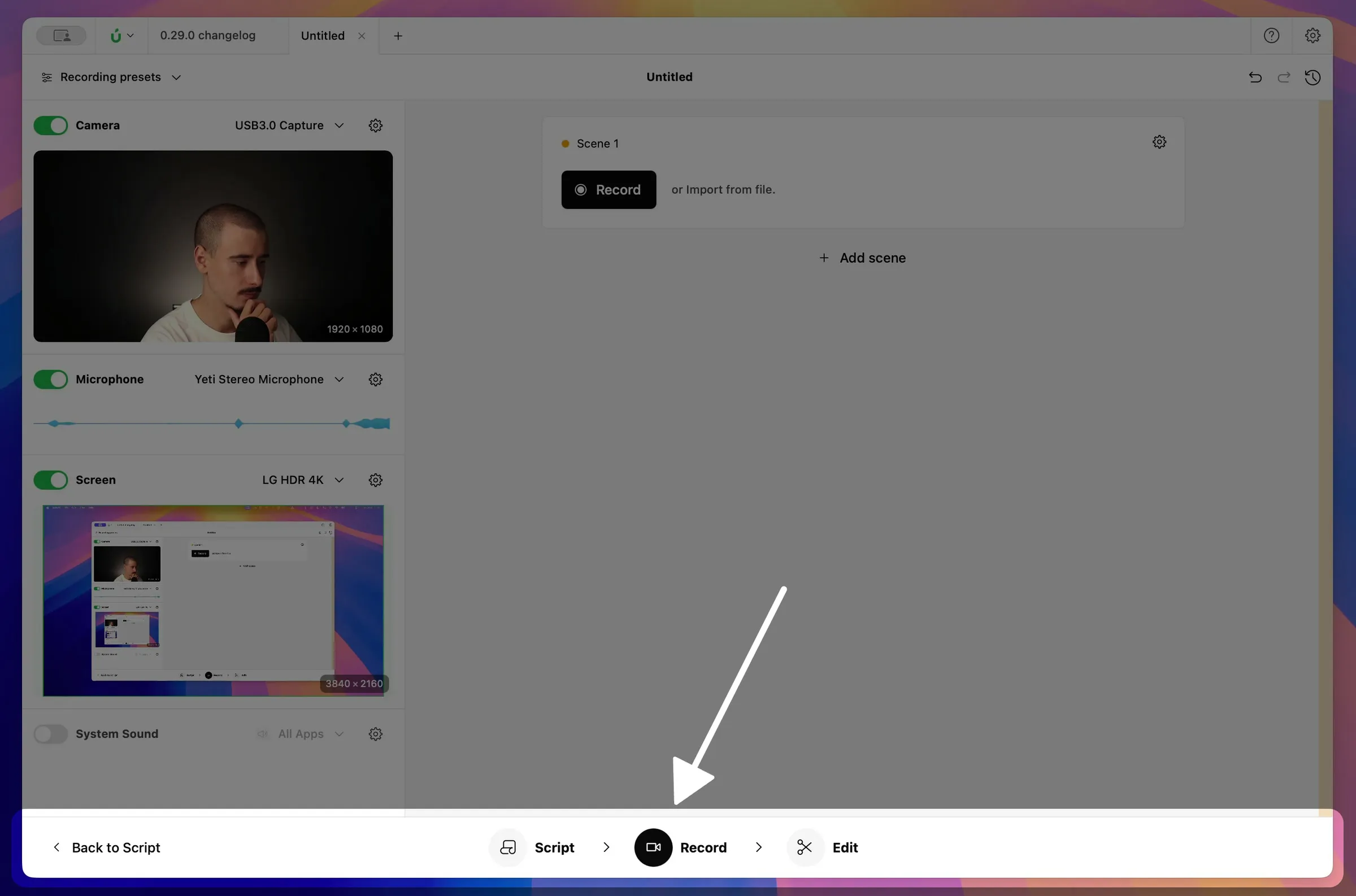
- Script: plan your video and decide how it’s structured, from a few bullet points to a full word-for-word script. This step is optional.
- Record: record your camera, microphone, and screen.
- Edit: trim, arrange, and polish the video, then export or share it.
Projects
Section titled “Projects”Every video lives in its own project. A project keeps your script, your recordings, and your edits together in one place. When you archive a project or send it to someone, everything comes along: there are no separate files to gather, and nothing goes missing.
Borumi saves your changes as you work, so you never lose anything.
Scenes
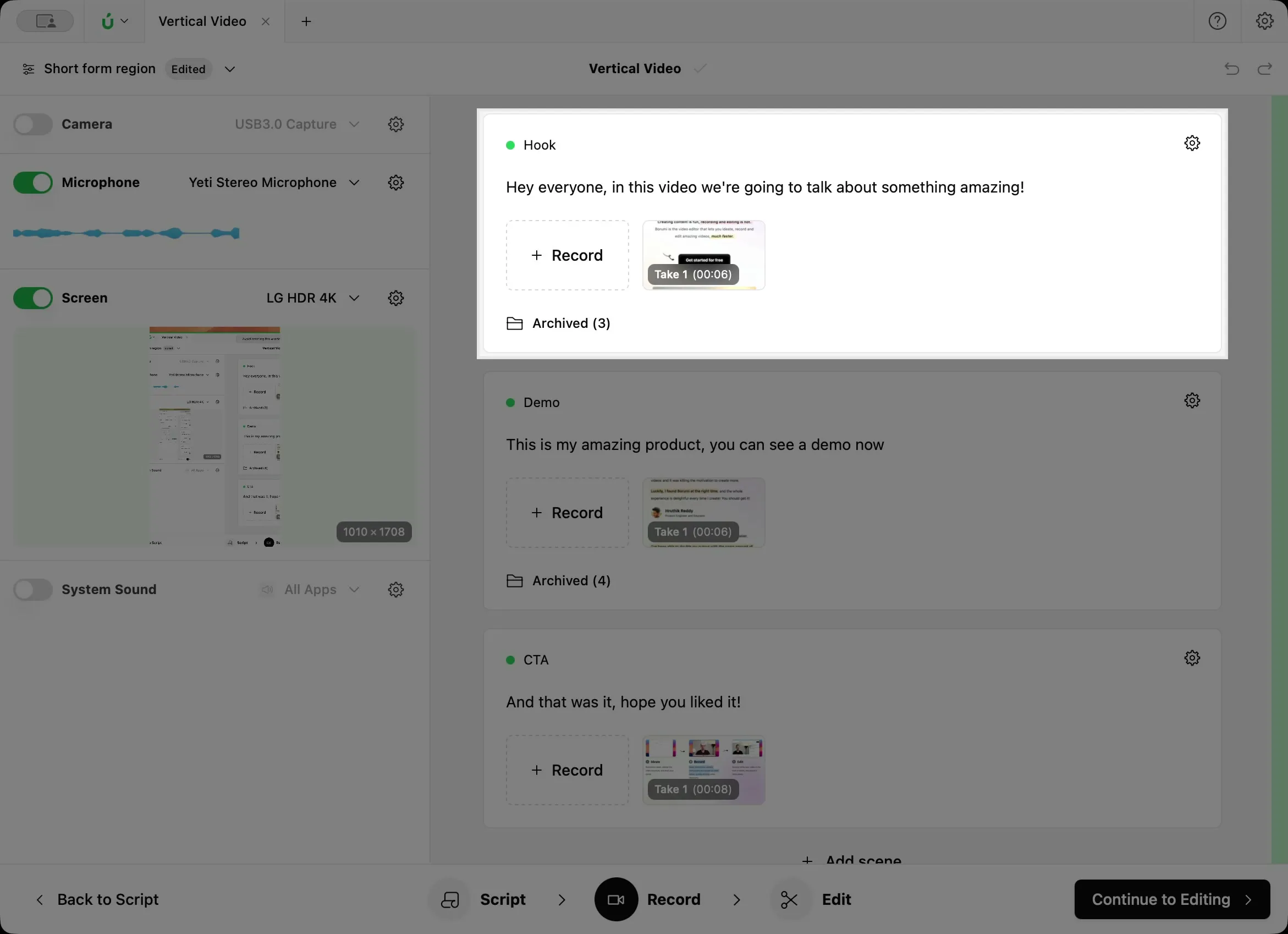
Section titled “Scenes”Recording a whole video in one go can feel overwhelming. That’s why Borumi splits your video into scenes, like the chapters of a book. A tutorial might have one scene for the intro, one for each topic, and one for the conclusion.
You record each scene on its own, and Borumi puts them together for you. This keeps your work manageable and makes it faster: if you make a mistake, you only record that scene again, not the whole video.
A take is one attempt at recording a scene. Not happy with how it went? Record another take. Borumi keeps all your takes, so you can compare them later and choose your favorite.
When you confirm a new take, it becomes active and appears in your video. The previous take is archived: it no longer appears in your video, but Borumi keeps it, and you can bring it back at any time.
The timeline
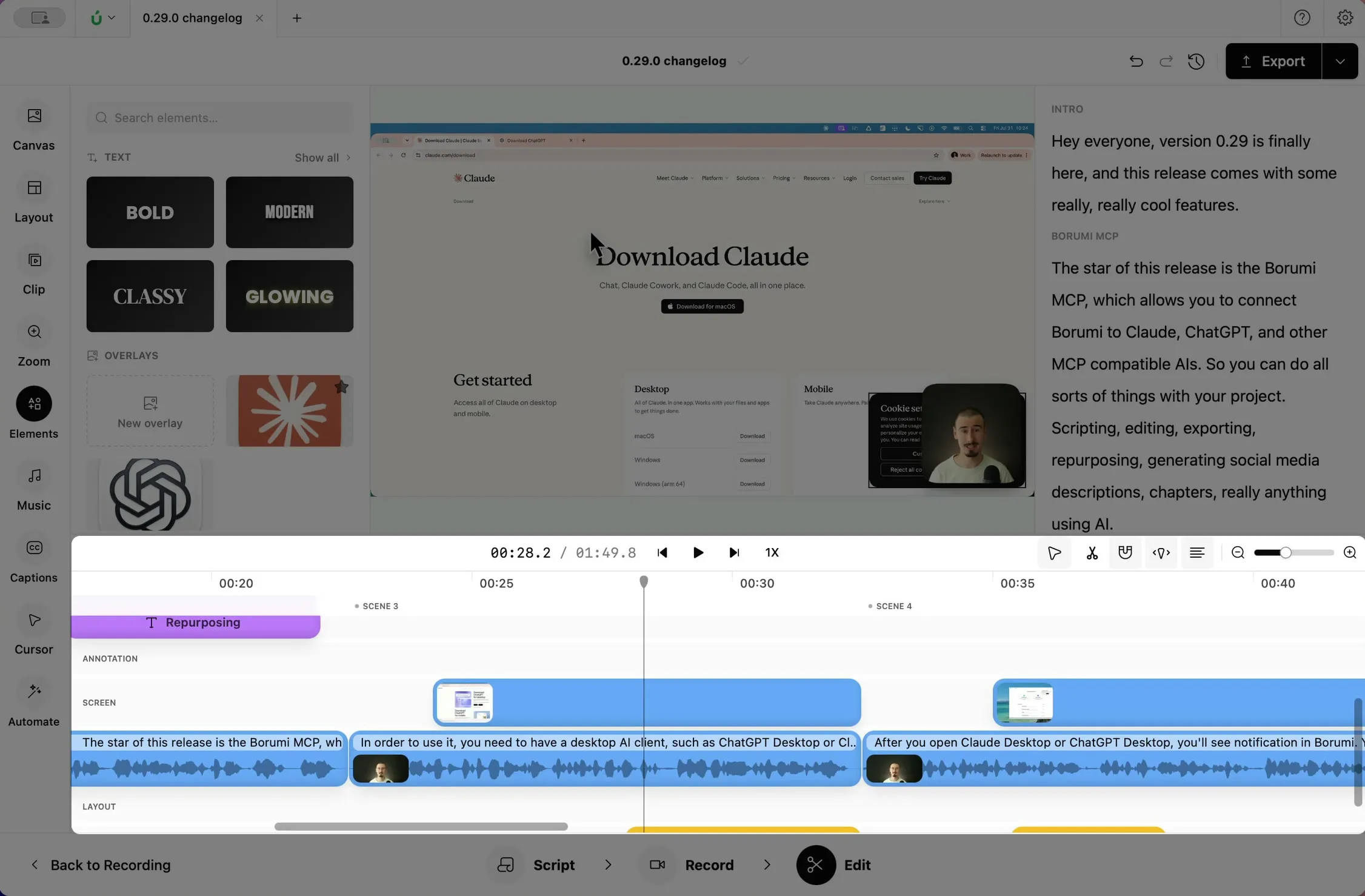
Section titled “The timeline”When you open the Edit tool, Borumi has already placed your active takes on the timeline, in scene order. Your camera, screen, and microphone stay in sync, so you can start editing right away. From there, you can trim your clips and add effects such as zooms, captions, text, and music.
Next steps
Section titled “Next steps”Ready to start? Continue with Write your script or jump straight to Record your first scene.