Record stereo audio
Borumi records audio in mono by default. That works well for your voice, but if you record a music tutorial, for example, you might want stereo instead. This guide shows you how to turn it on.
Turn on stereo audio
Section titled “Turn on stereo audio”You need to turn on stereo in two places: in the Record tool, for each audio source, and in the settings, so Borumi plays and exports your video in stereo.
-
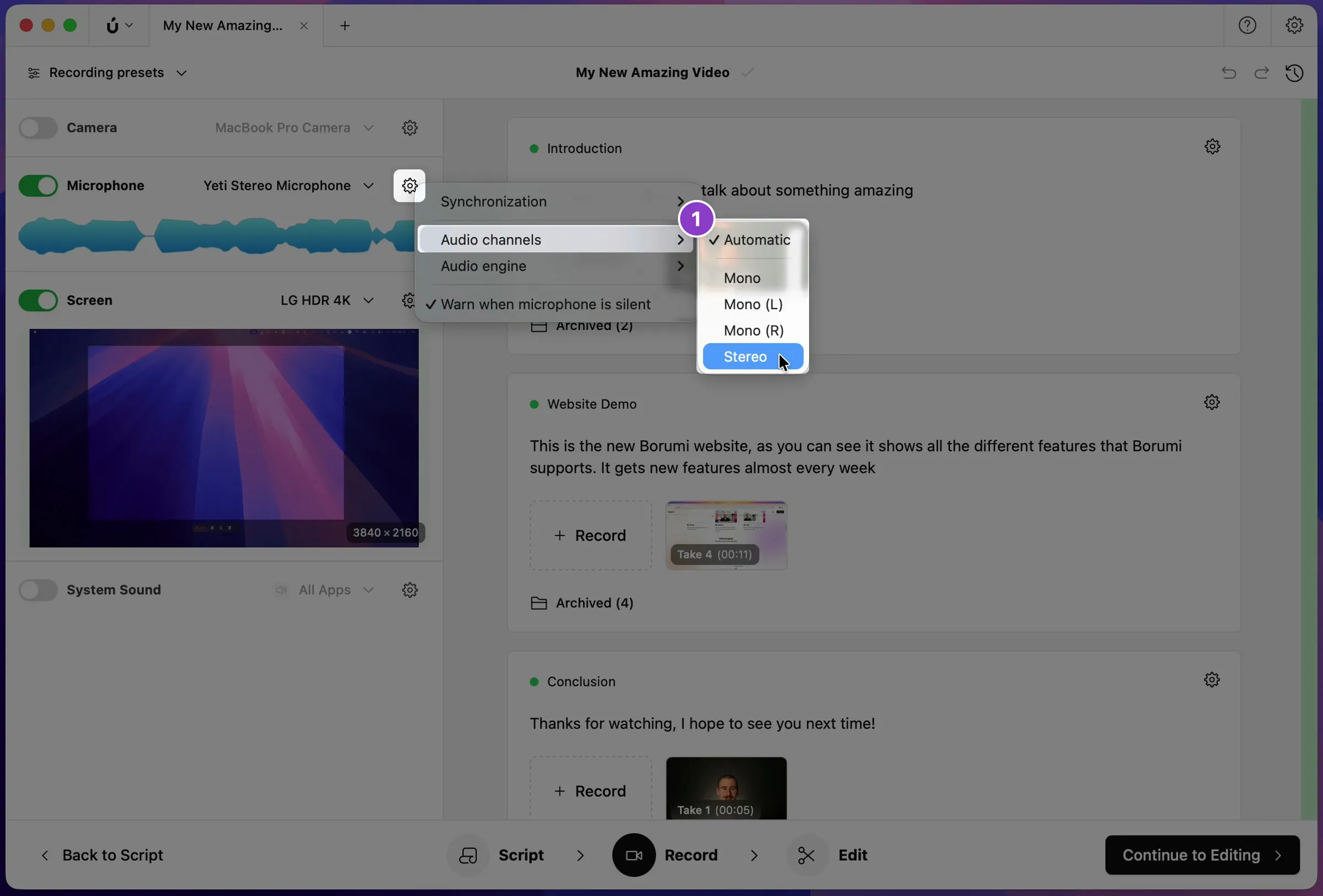
In the Record tool, click the gear next to Microphone, then choose Audio channels → Stereo.
-
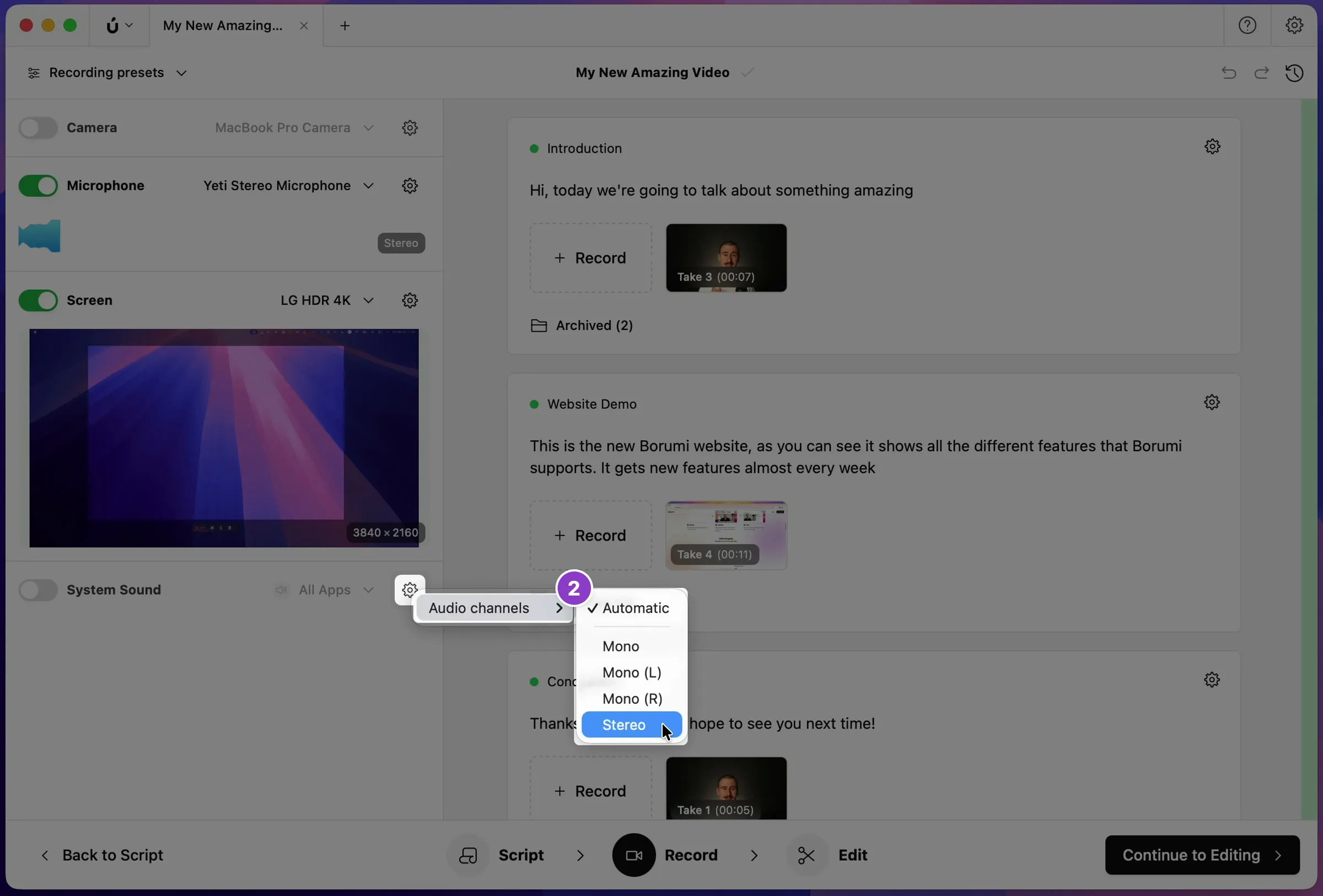
If you also record your computer’s sound, click the gear next to System Sound and choose Audio channels → Stereo.
-
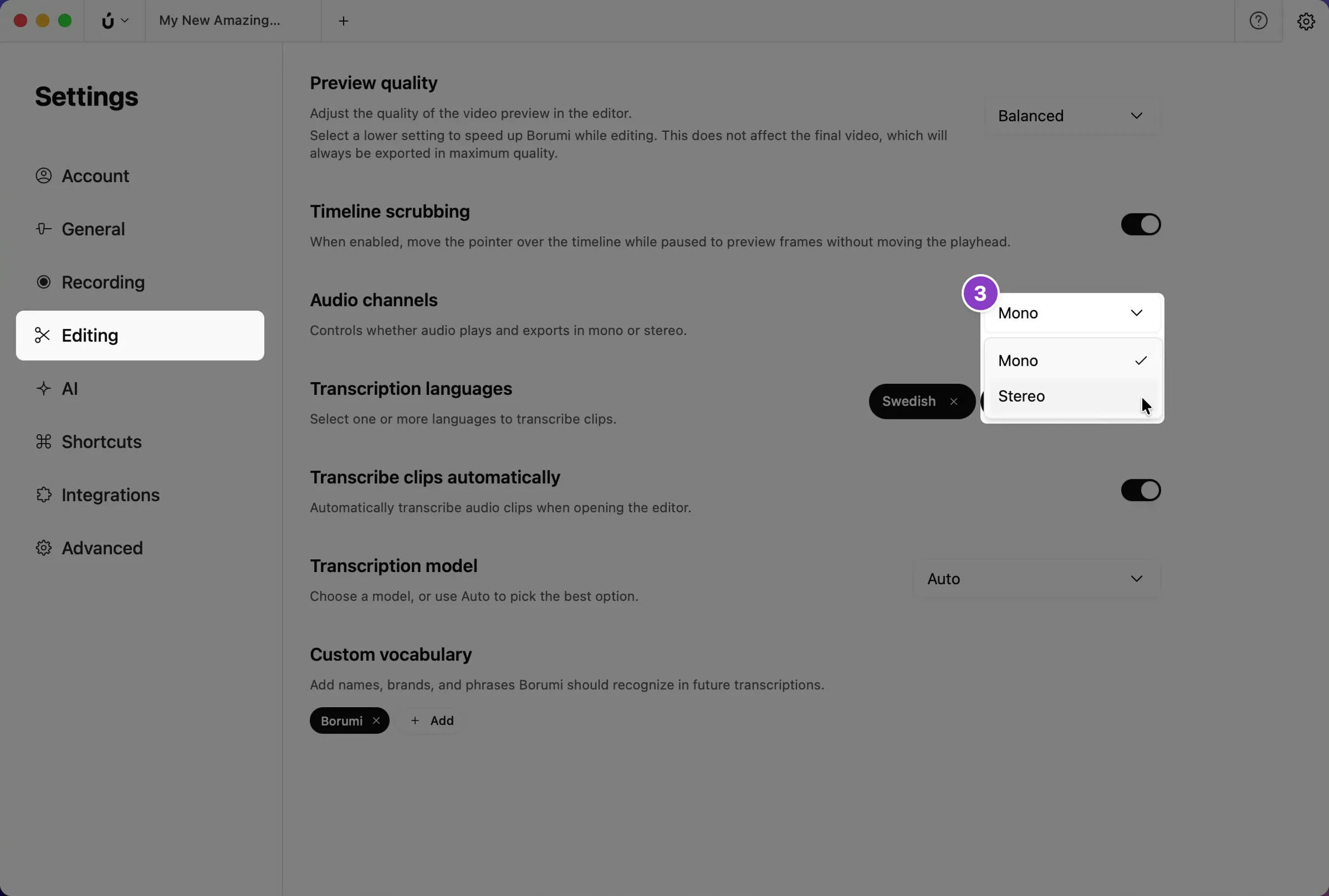
Click the gear icon at the top right to open Settings, click Editing, and set Audio channels to Stereo.