Remove your camera background
Borumi can remove the background from your camera video (also known as a “green screen” effect). This guide walks you through how to do it.


This video can't be played right now. Please try again later.
Use a green screen layout
Section titled “Use a green screen layout”-
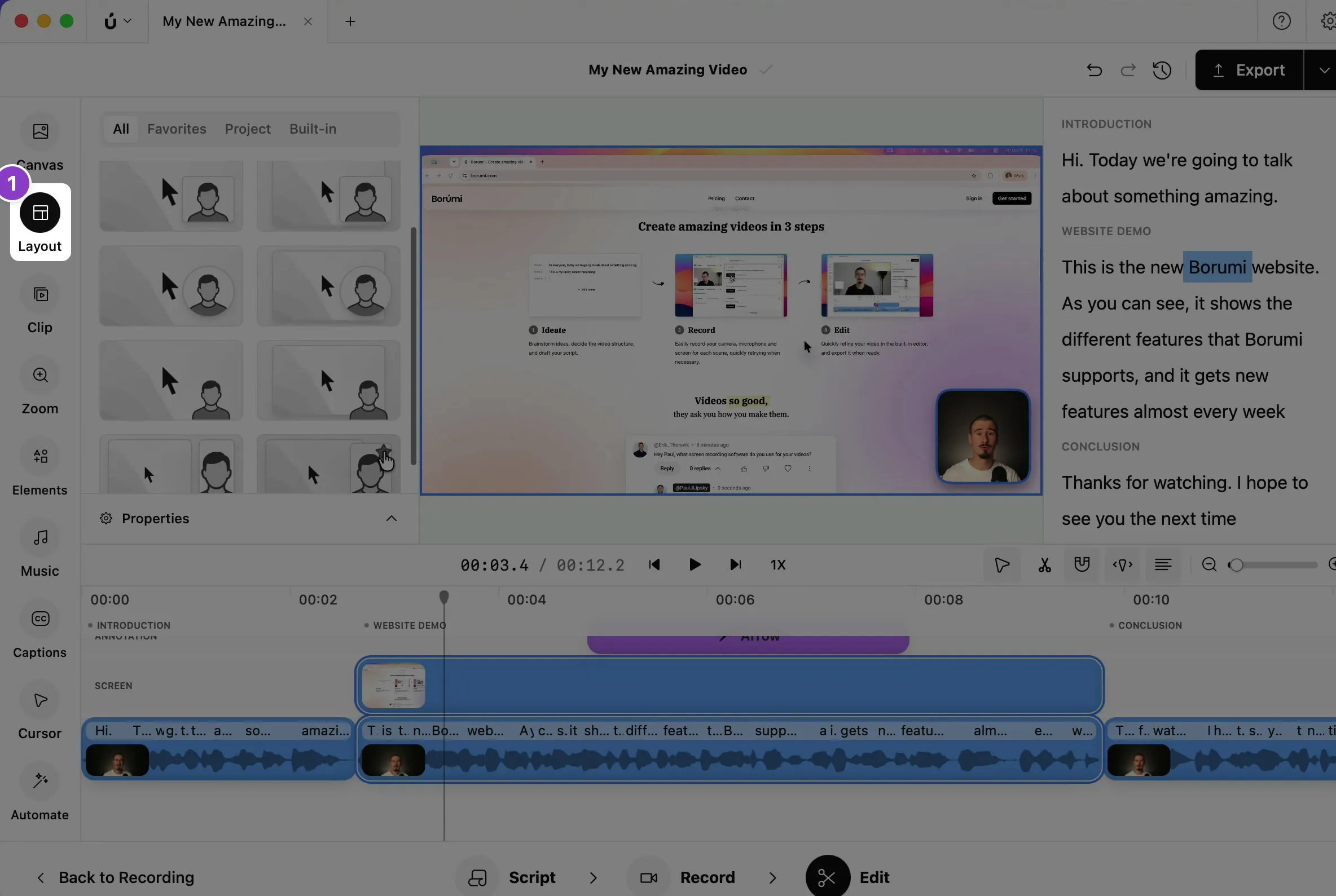
Click Layout in the left sidebar.
-
Choose a green screen layout. You can recognize them because the person has no frame around them.
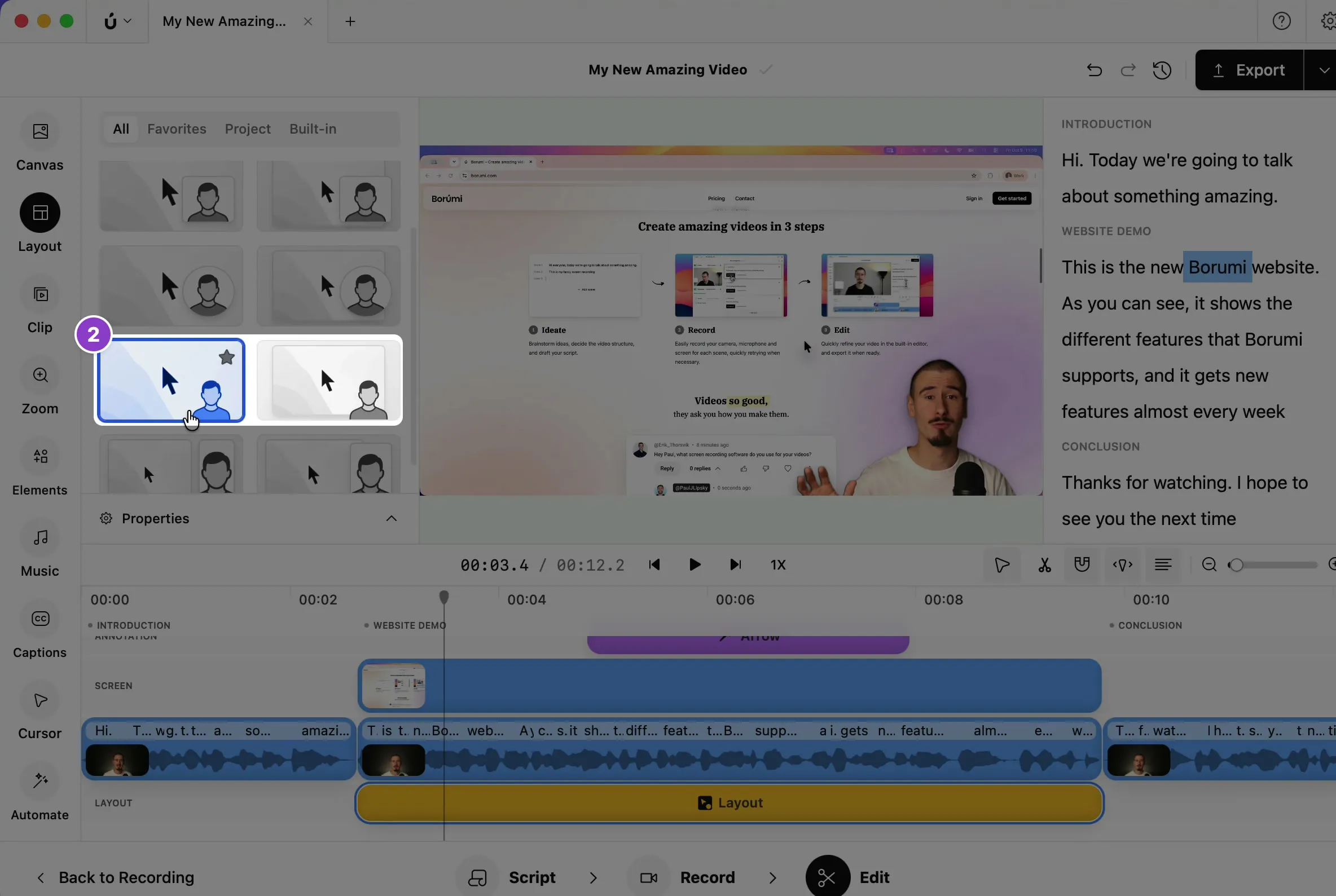
Borumi removes your background and places you on top of your screen recording. Like any layout, it applies to the part of the video covered by its layout clip. See Choose a layout.
Improve the quality of the effect
Section titled “Improve the quality of the effect”If you want cleaner edges, you can increase the quality of the effect. Keep in mind that higher quality takes longer to process.
-
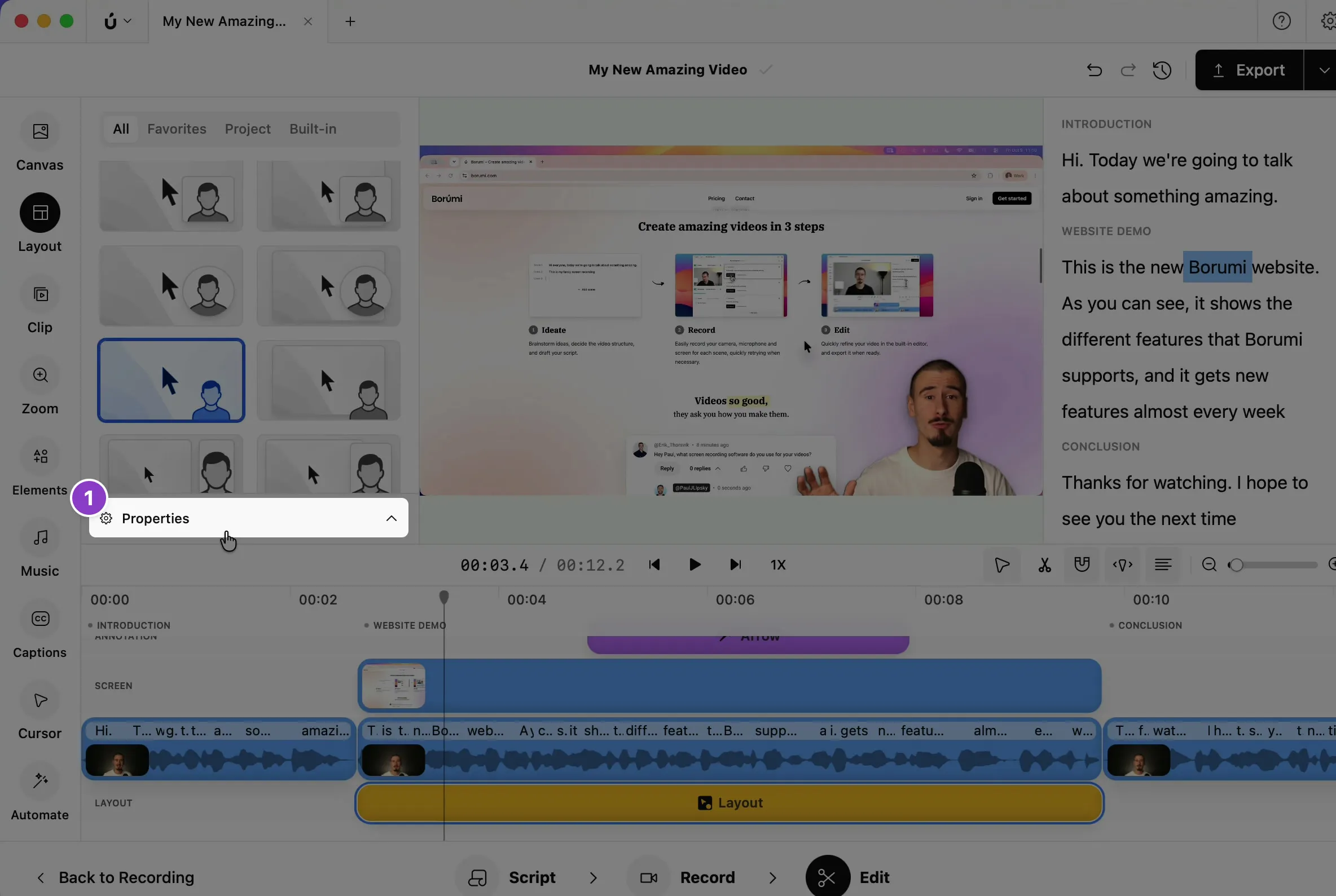
With the green screen layout selected, click Properties at the bottom of the Layout panel.
-
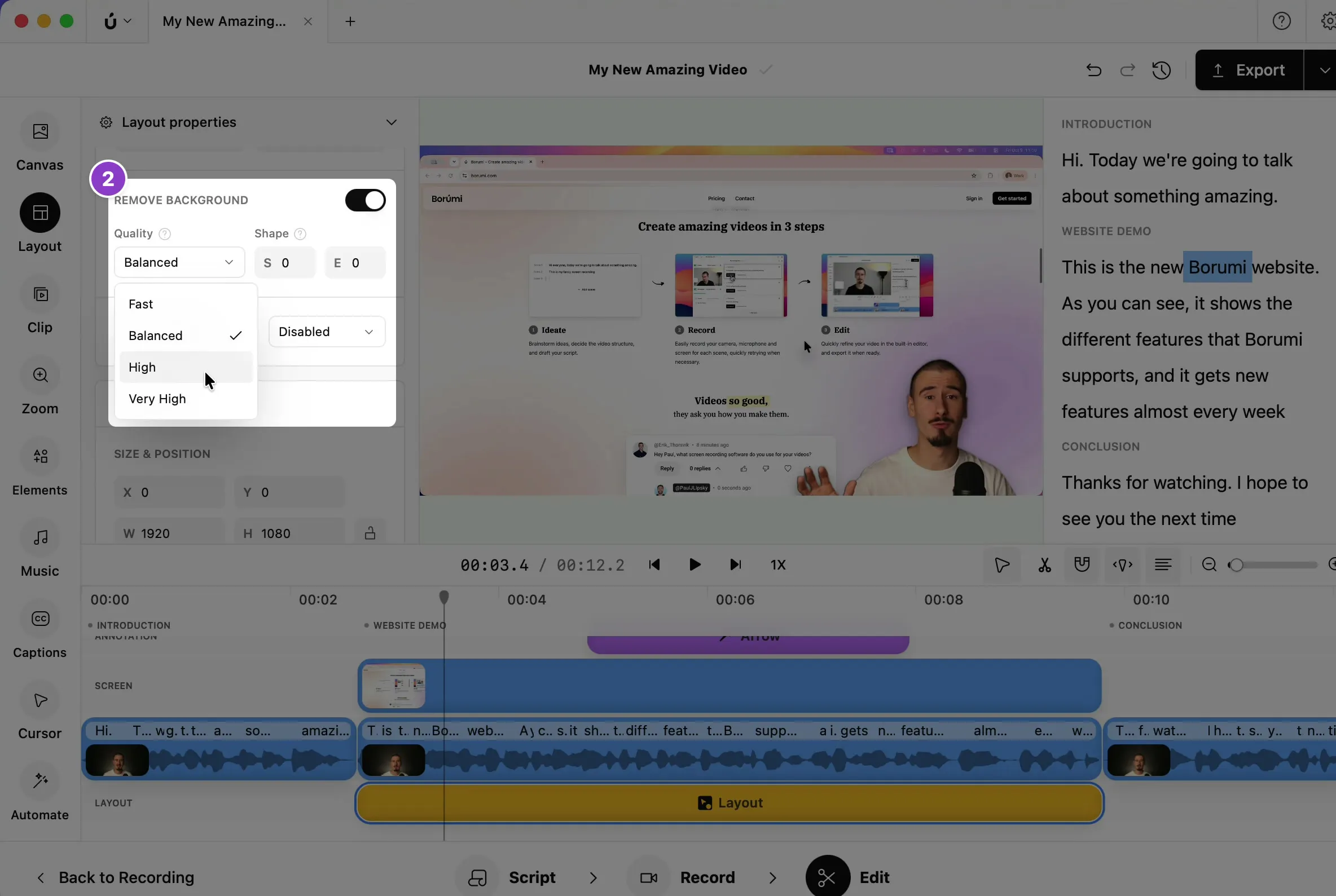
Scroll down to Remove background, and choose a higher Quality, like High.