
Undo the AI's changes
If you don’t like what your AI changed, you can always go back. This guide shows you how to restore an earlier version of your project.
Restore a version from before the change
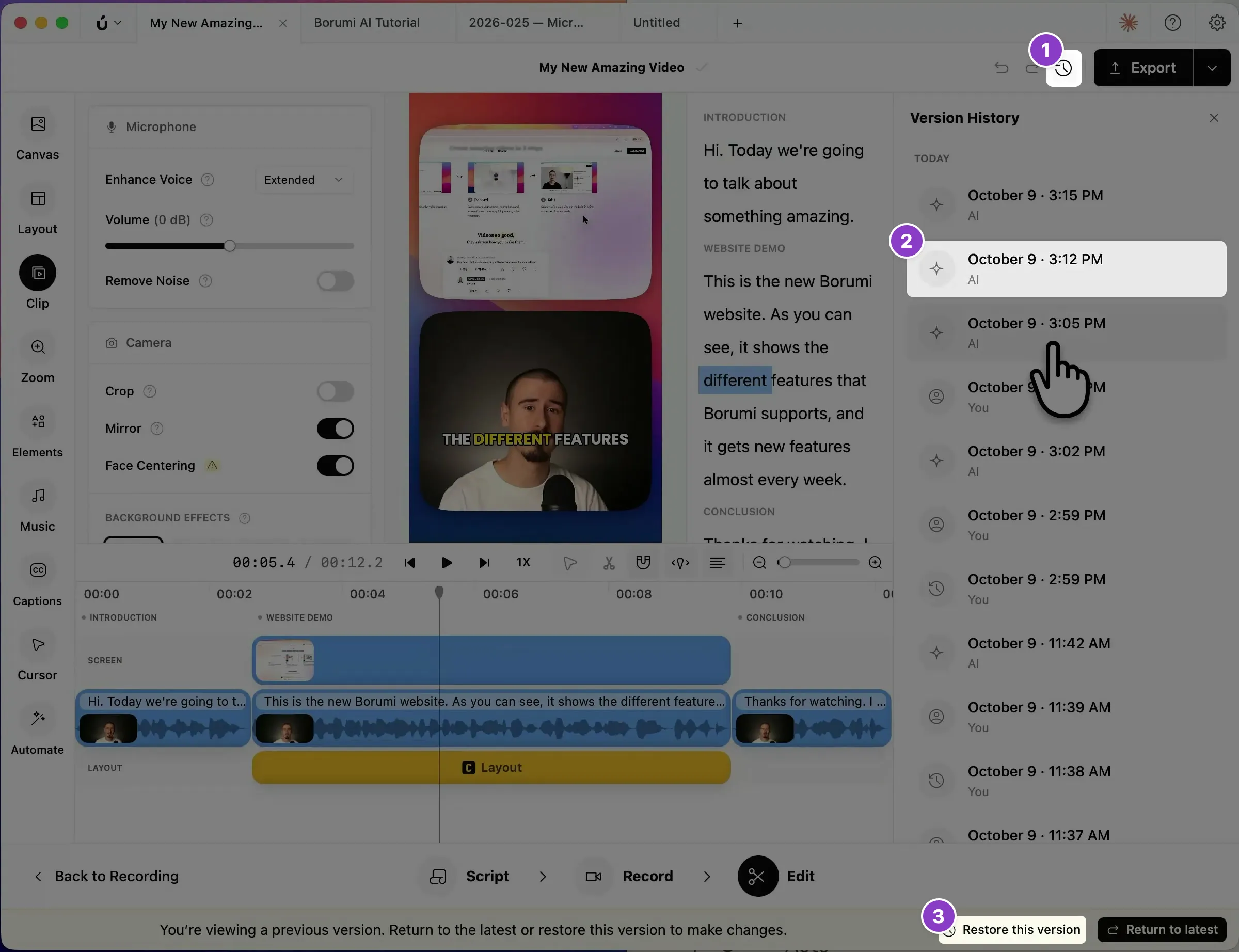
Section titled “Restore a version from before the change”- Click the clock icon at the top right to open the version history.
- Click a version to look at it. Versions made by your AI are marked AI.
- Click Restore this version.
For more about the version history, see Restore a previous version.