
Restore a deleted project
When you delete a project in Borumi, it isn’t erased right away. It moves to the Trash on macOS, or the Recycle Bin on Windows, so you can get it back if you change your mind. This guide shows you how.


This video can't be played right now. Please try again later.
Delete a project
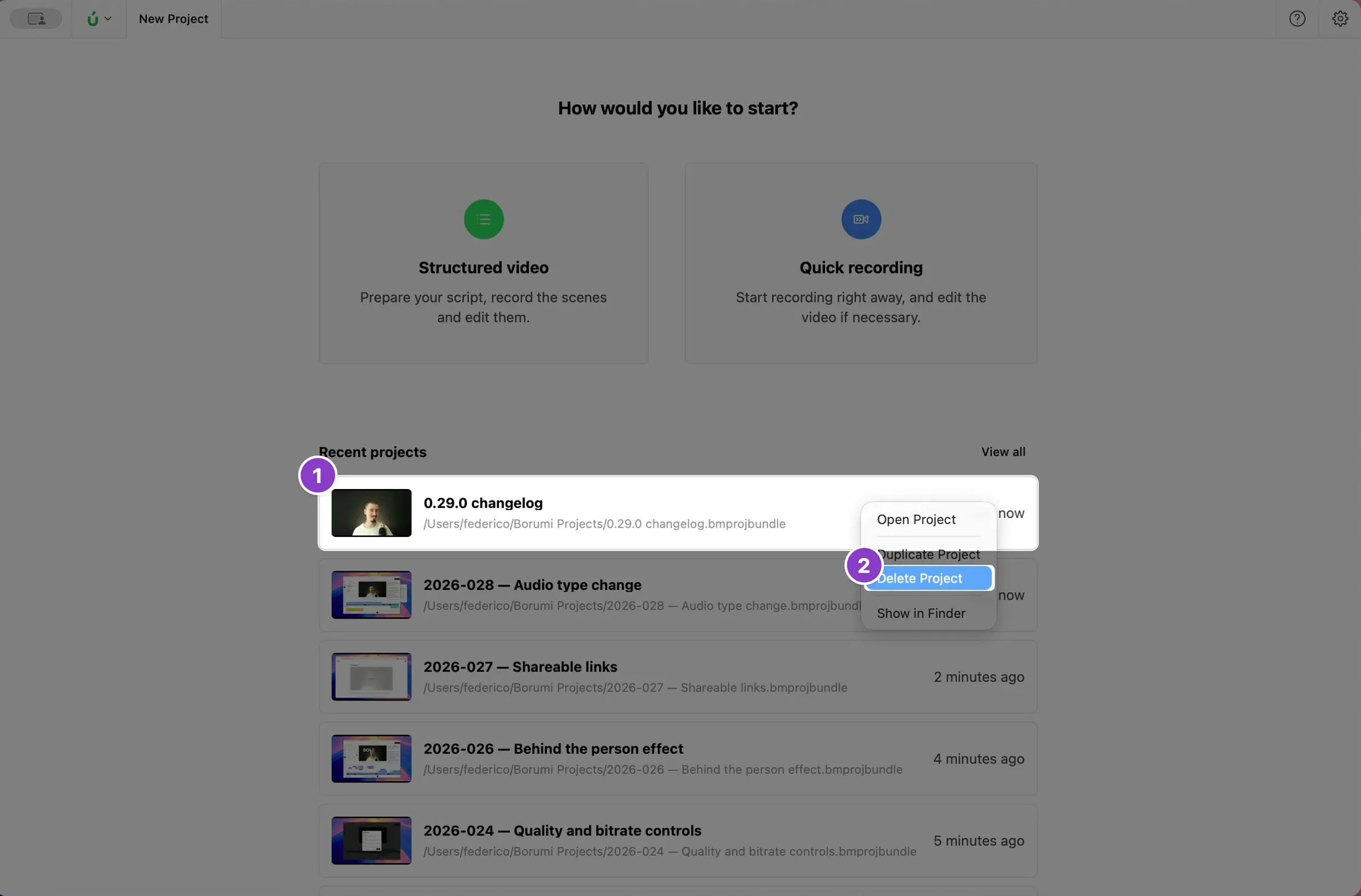
Section titled “Delete a project”On the Home screen, right-click the project in Recent projects, choose Delete Project, and click OK to confirm.
Restore it on macOS
Section titled “Restore it on macOS”- Open the Trash from the Dock.
- Right-click the project and choose Put Back.
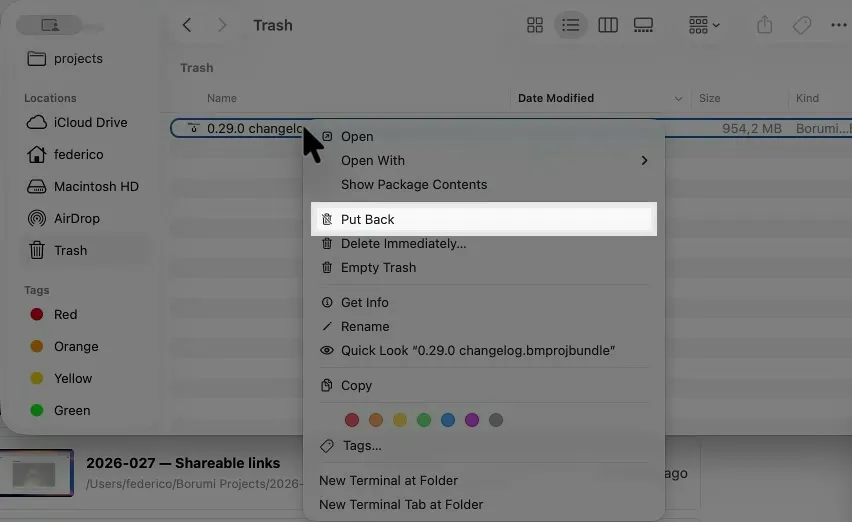
The project is back in Recent projects in Borumi.
Restore it on Windows
Section titled “Restore it on Windows”- Open the Recycle Bin from your desktop.
- Right-click the project folder and choose Restore.
The project is back in Recent projects in Borumi.