Fix transcription mistakes
Sometimes the transcript might contain mistakes. This guide shows how to fix them and how to improve transcription quality.


This video can't be played right now. Please try again later.
You have a few ways to improve your transcript:
- Fix mistakes by hand, as shown below.
- Use cloud transcription models, which can be more accurate. See Use a cloud transcription model.
- Let your AI fix the transcript for you. See Fix transcript errors with AI.
- Teach Borumi the words it gets wrong, like brand names, with a custom vocabulary.
Correct a word or a sentence
Section titled “Correct a word or a sentence”- In the transcript, double-click the wrong word, or drag across several words.
- In the bubble that appears, click Correct (or press ).
- Type the correct text and press .
Intro
Hi everyone, and welcome back to the channel.
.....
Welcome to BromyBorumi Academy. Today I'll show you how to edit a video in just a few minutes.
Teach Borumi words it gets wrong
Section titled “Teach Borumi words it gets wrong”If Borumi keeps getting the same names, brands, or unusual words wrong, add them to your custom vocabulary.
This video can't be played right now. Please try again later.
-
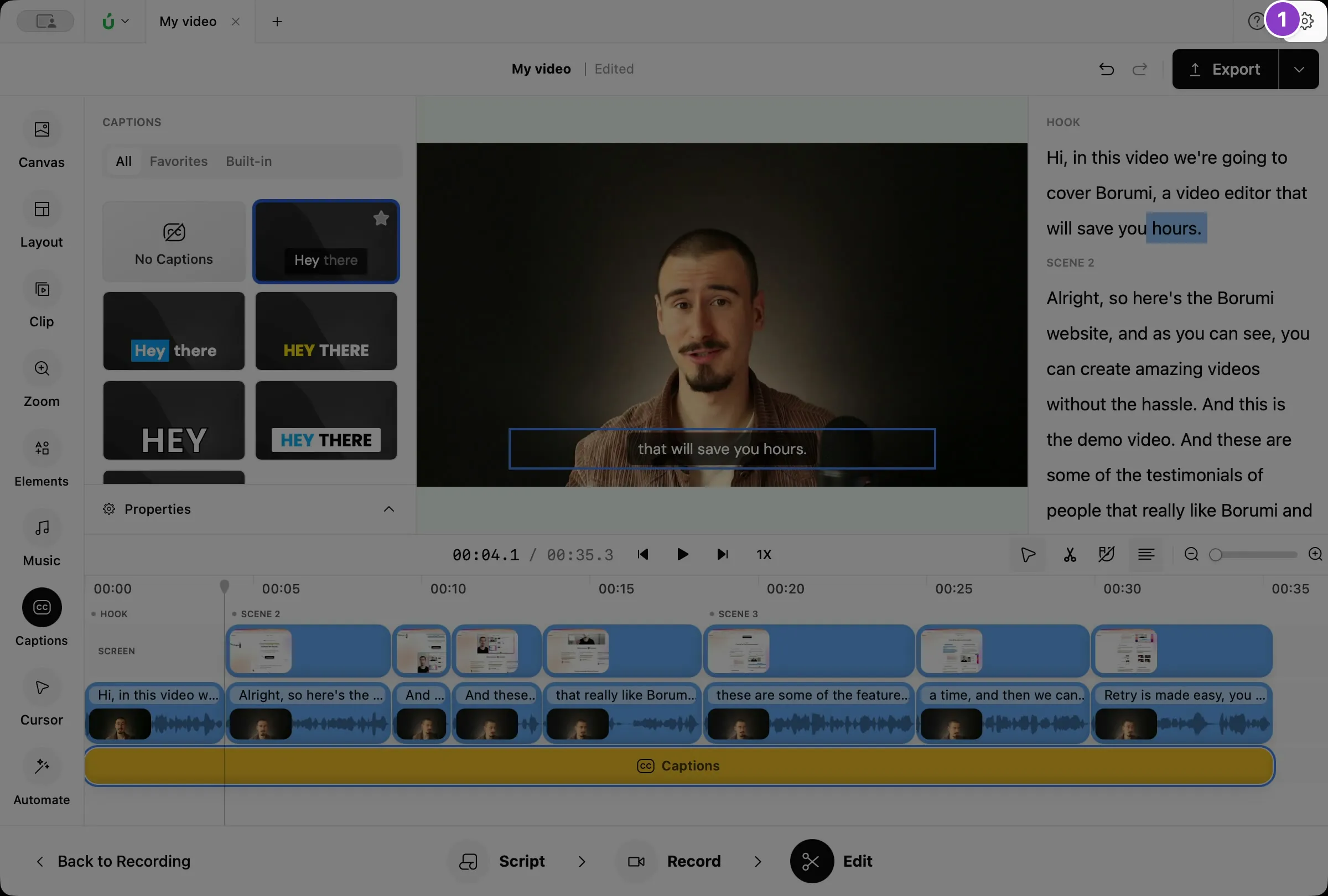
Click the gear icon at the top right to open Settings.
-
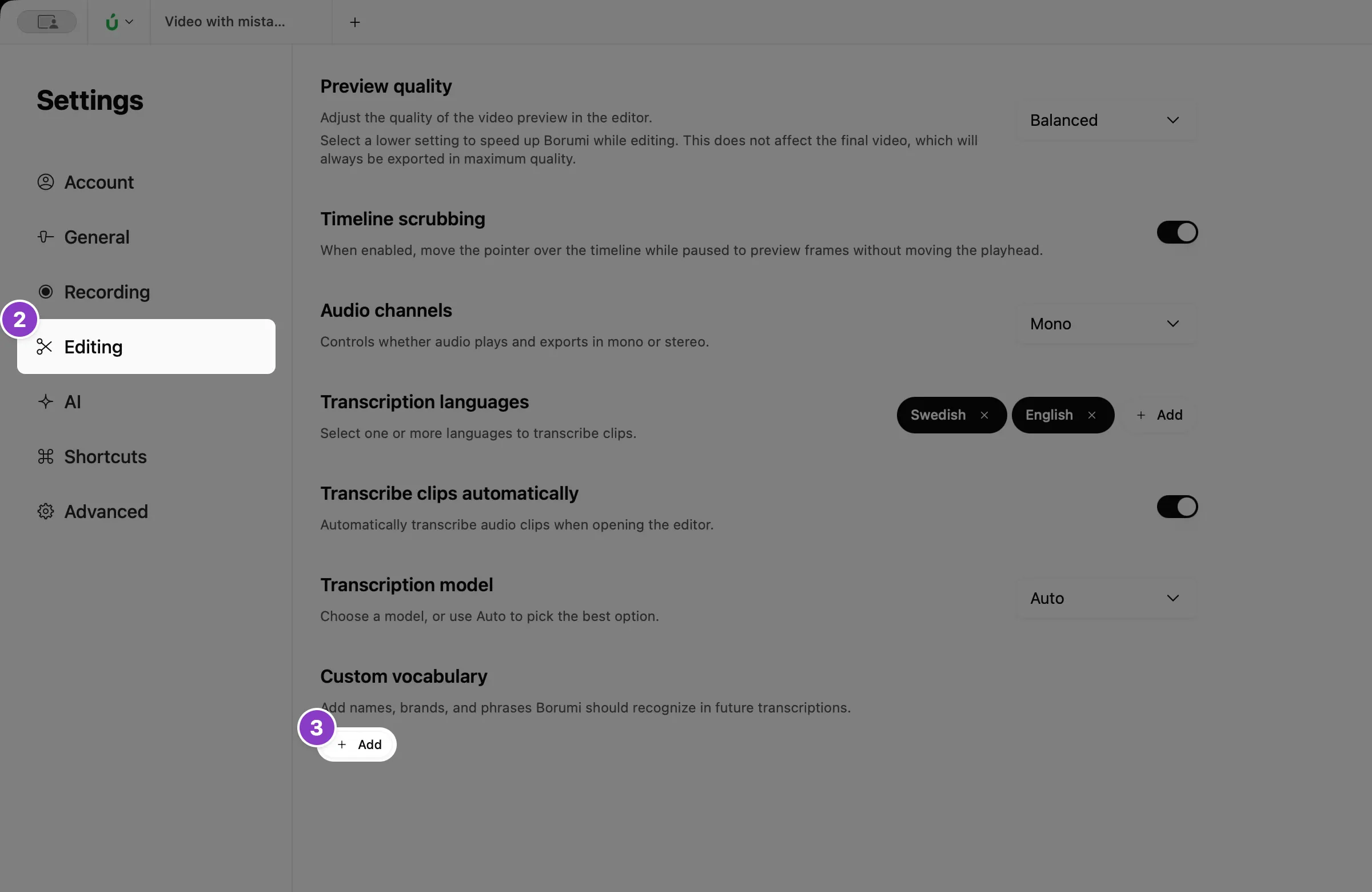
Click Editing.
-
Under Custom vocabulary, click Add.
-
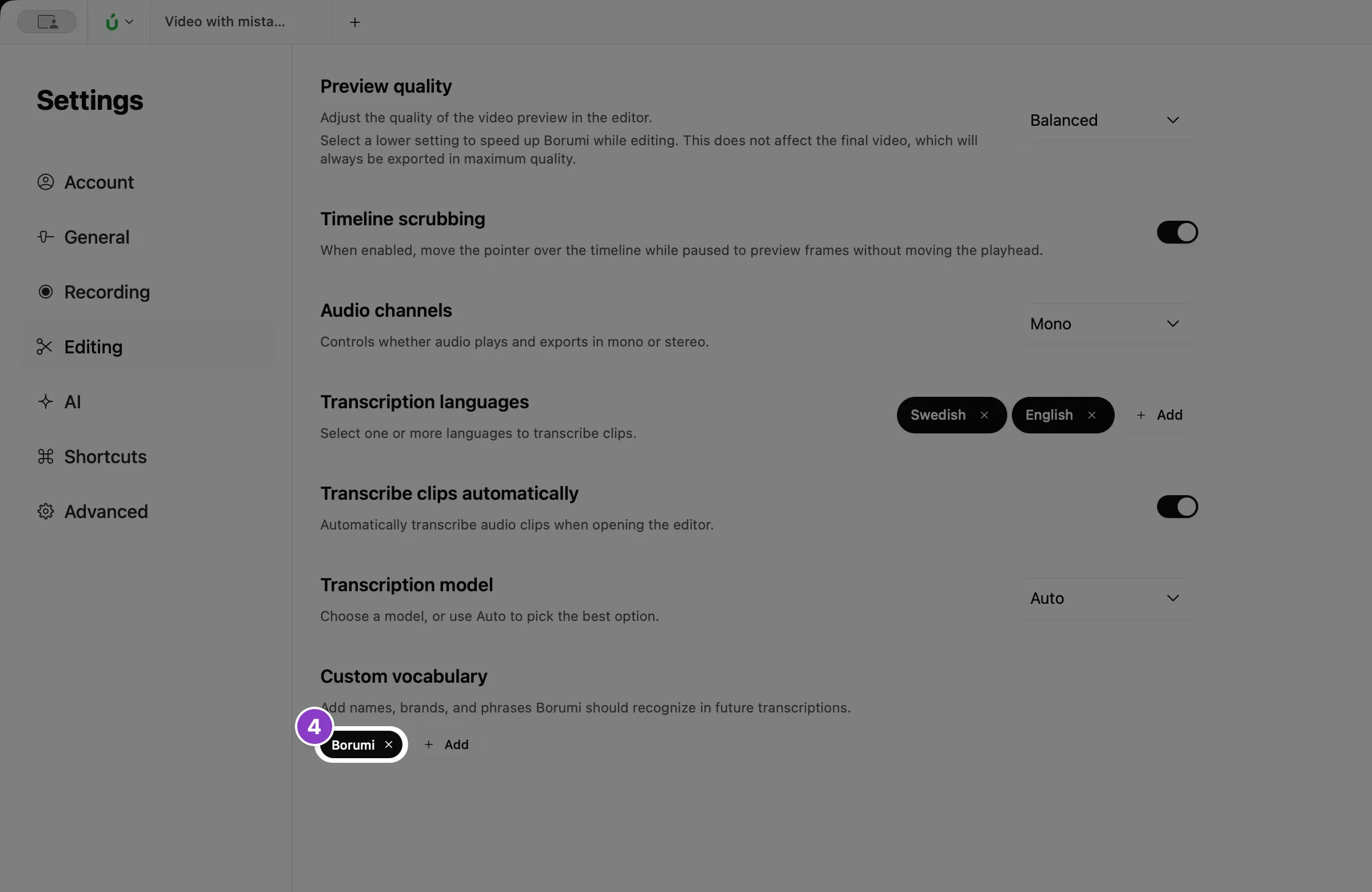
Type the word or phrase, spelled the way you want it, and press .
Transcribe your clips again
Section titled “Transcribe your clips again”When you change your transcription settings, like the custom vocabulary or the transcription model, the changes only apply to new recordings. To apply them to the clips you already have, transcribe them again:
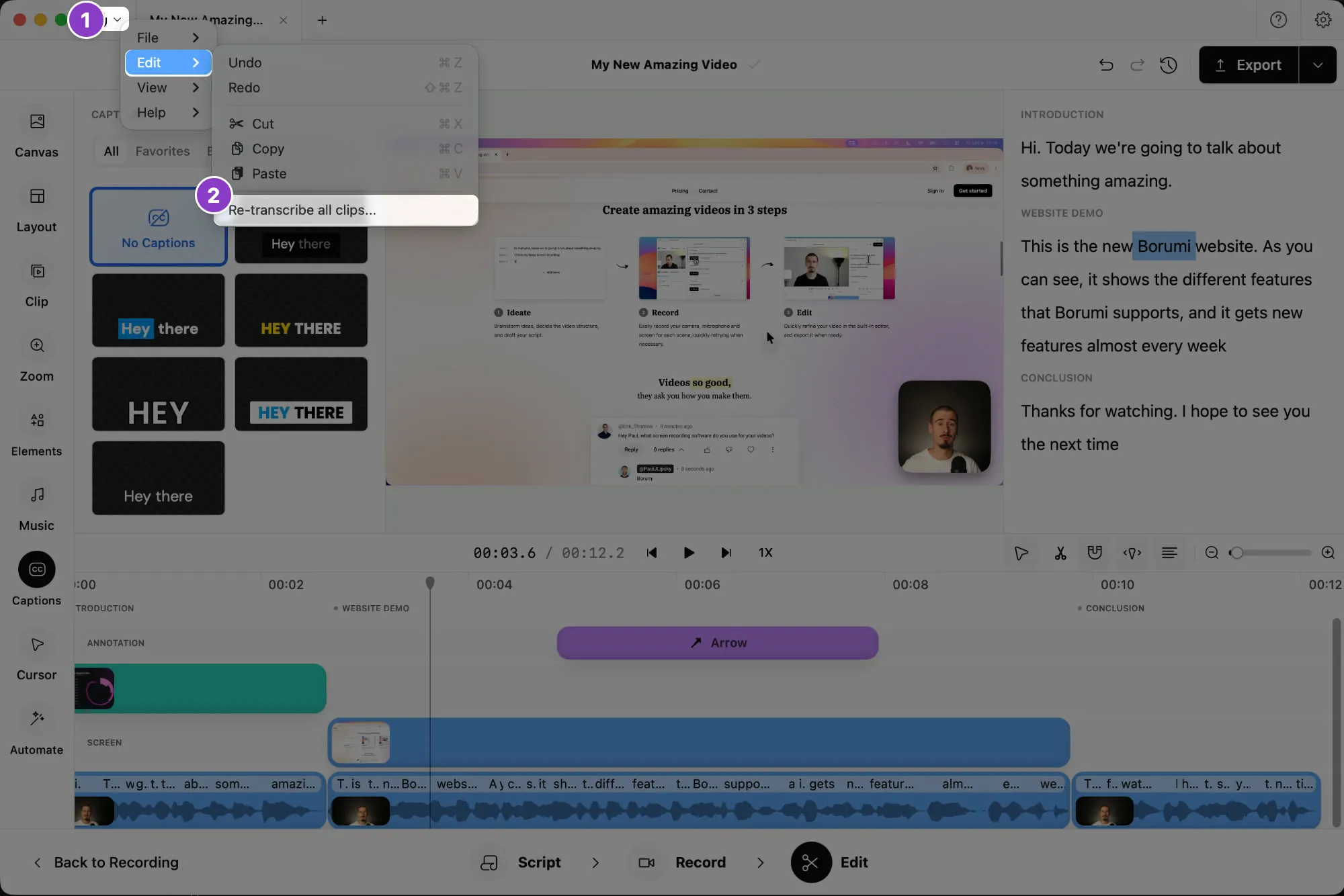
- In the Edit tool, click the Borumi logo at the top left.
- Choose Edit → Re-transcribe all clips….