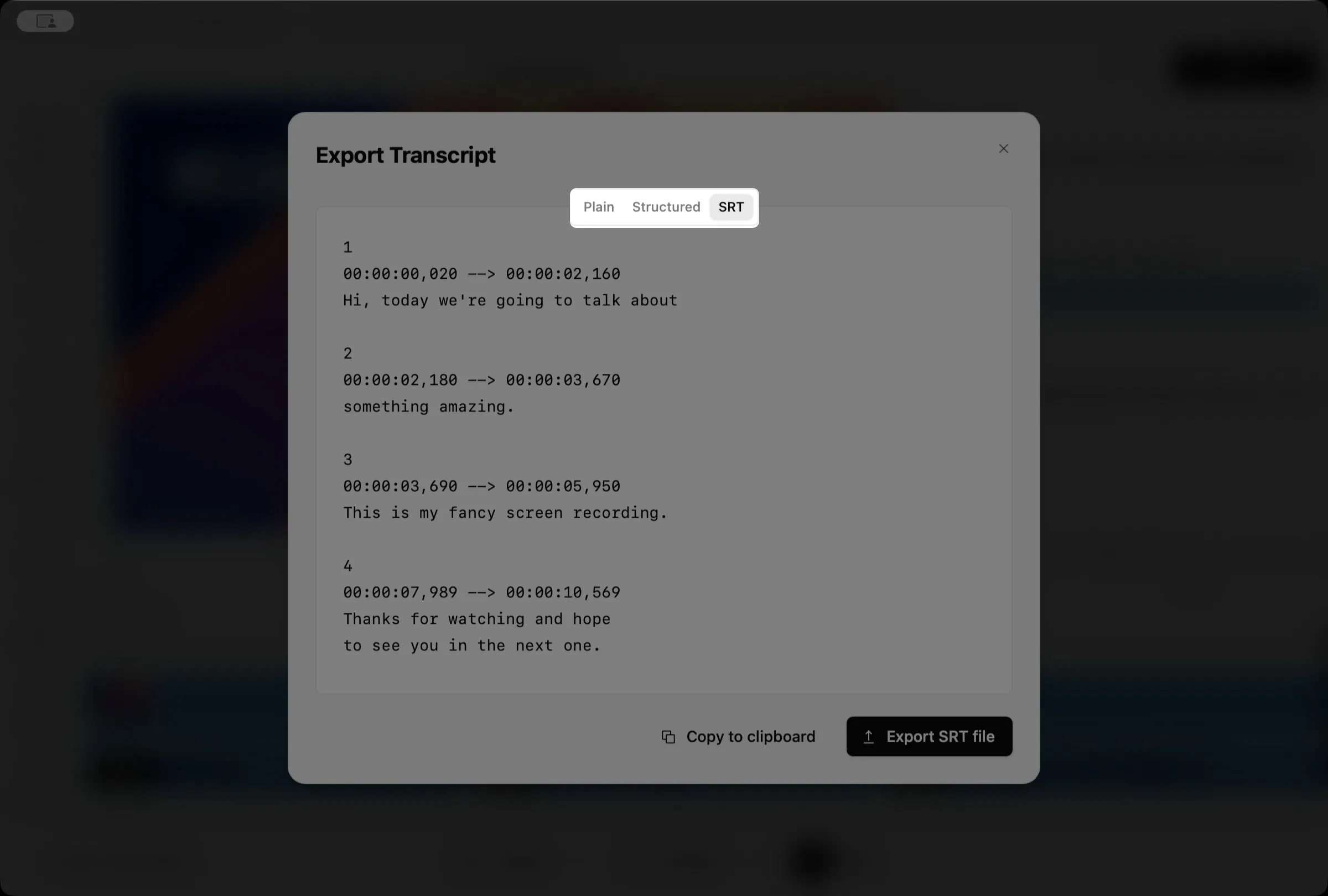
Export subtitles
Borumi lets you export your transcript as an SRT subtitle file, which you can upload along with your video to YouTube and other platforms. This guide walks you through it.


This video can't be played right now. Please try again later.
Export an SRT subtitle file
Section titled “Export an SRT subtitle file”-
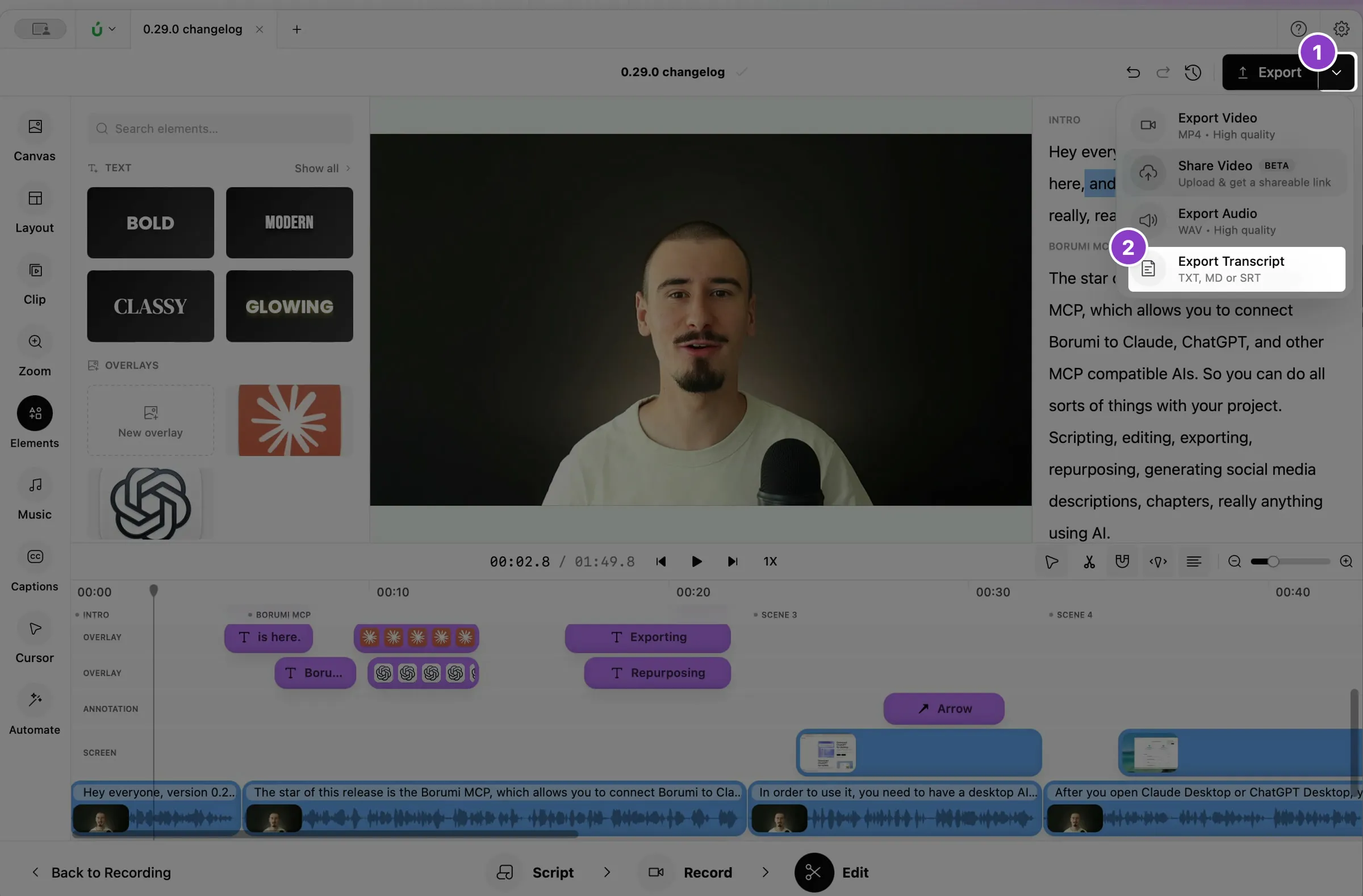
Click the arrow next to Export at the top right of the Edit tool.
-
Choose Export Transcript.
-
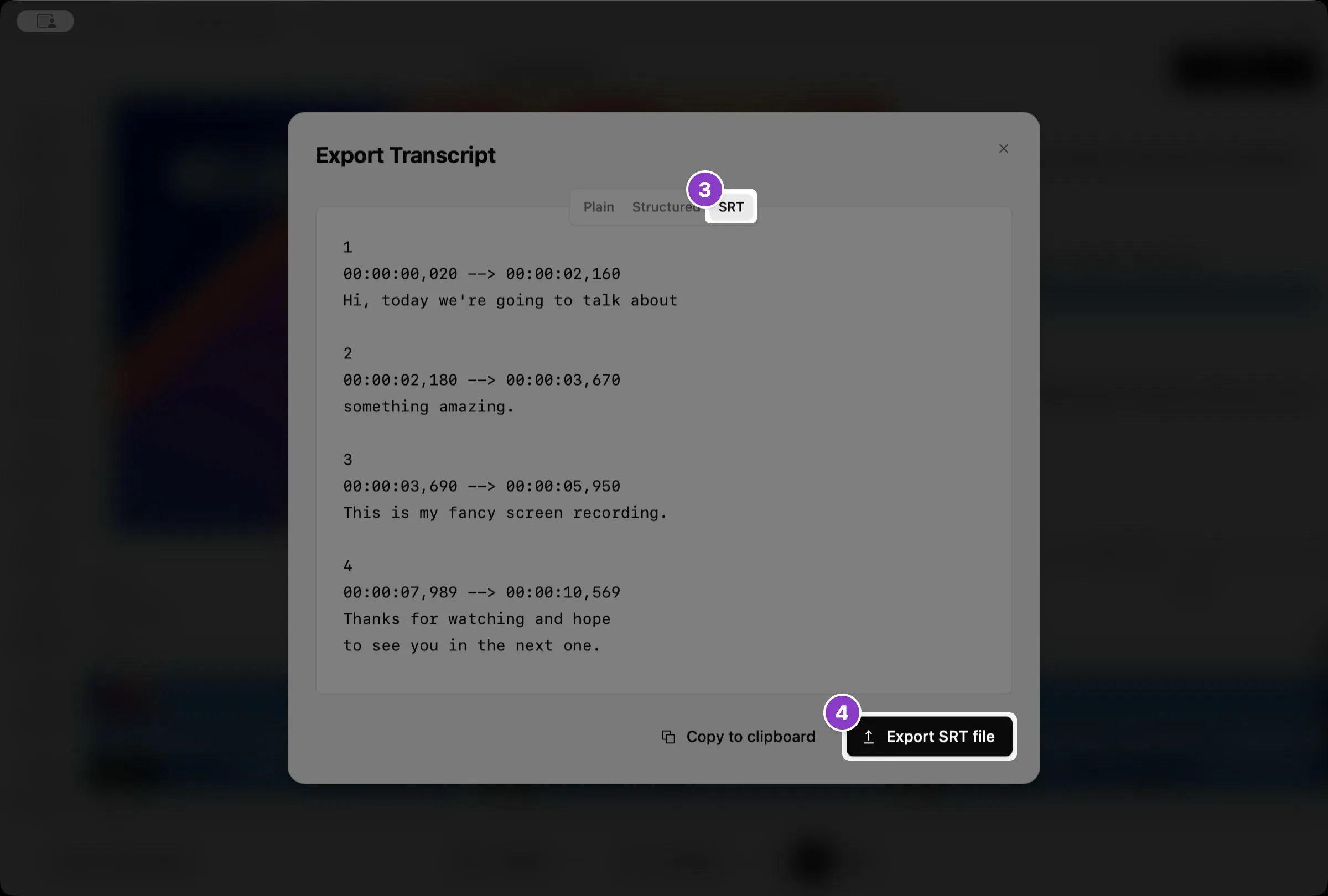
Click SRT at the top of the window.
-
Click Export SRT file and choose where to save it.
Export the transcript as text
Section titled “Export the transcript as text”You can also export the transcript as text, for example to write a blog post. At the top of the Export Transcript window, choose Plain for all the text in one block, or Structured for the text split by scene.