
Record your computer's sound
Sometimes you want your viewers to hear what’s playing on your computer too, like a video you’re reacting to or the track you’re working on in your music software. Borumi can record your computer’s sound together with your voice.
Turn on computer sound
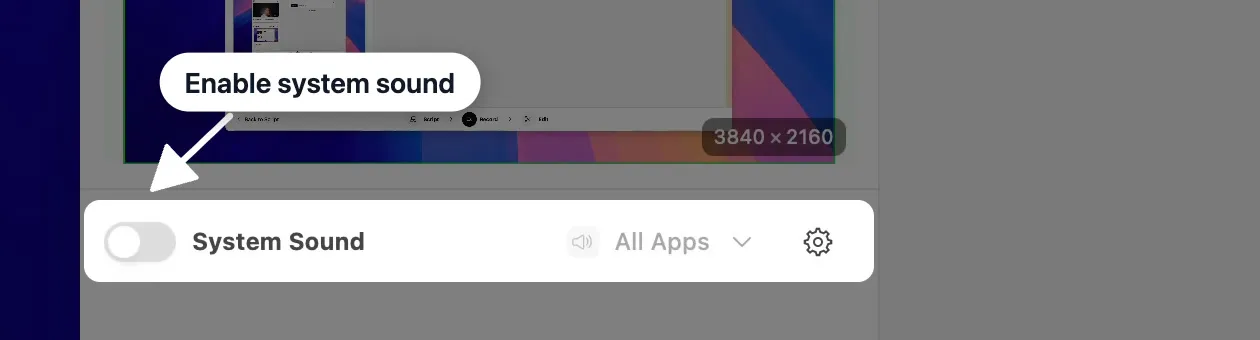
Section titled “Turn on computer sound”In the Record tool, turn on System Sound. Borumi now records what your computer plays, on its own track, separate from your microphone.
Choose which sounds to record
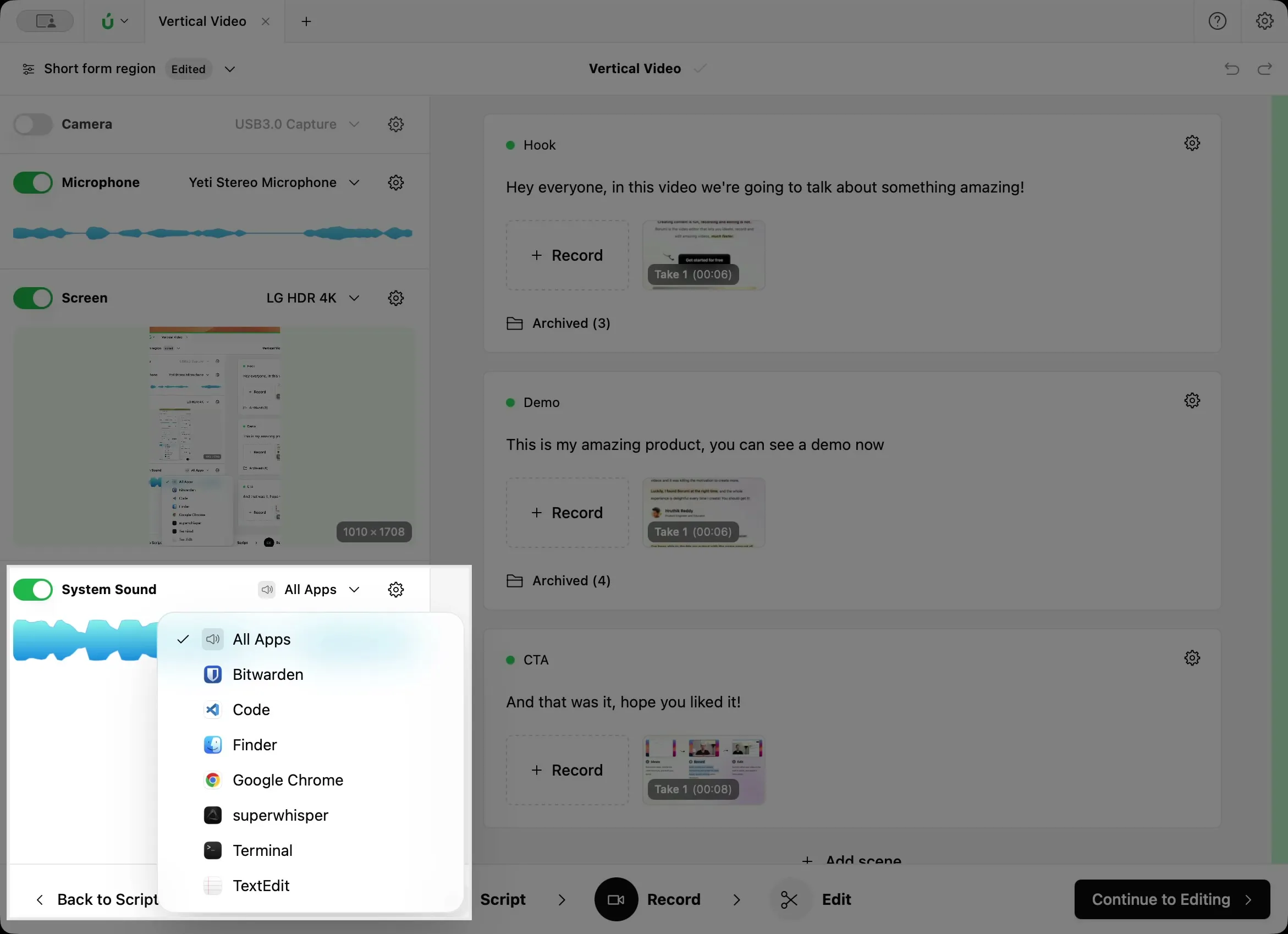
Section titled “Choose which sounds to record”Open the menu next to System Sound and choose:
- All Apps to record everything your computer plays.
- A single app to record only that app. Notifications and sounds from other apps stay out of your video.
Avoid an echo with headphones
Section titled “Avoid an echo with headphones”If your computer’s sound plays through your speakers while you record, your microphone hears it too. The sound then ends up in your video twice: once from System Sound, and once through your microphone, which creates an echo.
To avoid this, wear headphones whenever you record your computer’s sound and your voice together.