
Restore a previous version
Borumi saves every version of your project as you work. If you make a mistake, or don’t like a change, you can always go back to an earlier version. This guide shows you how.


This video can't be played right now. Please try again later.
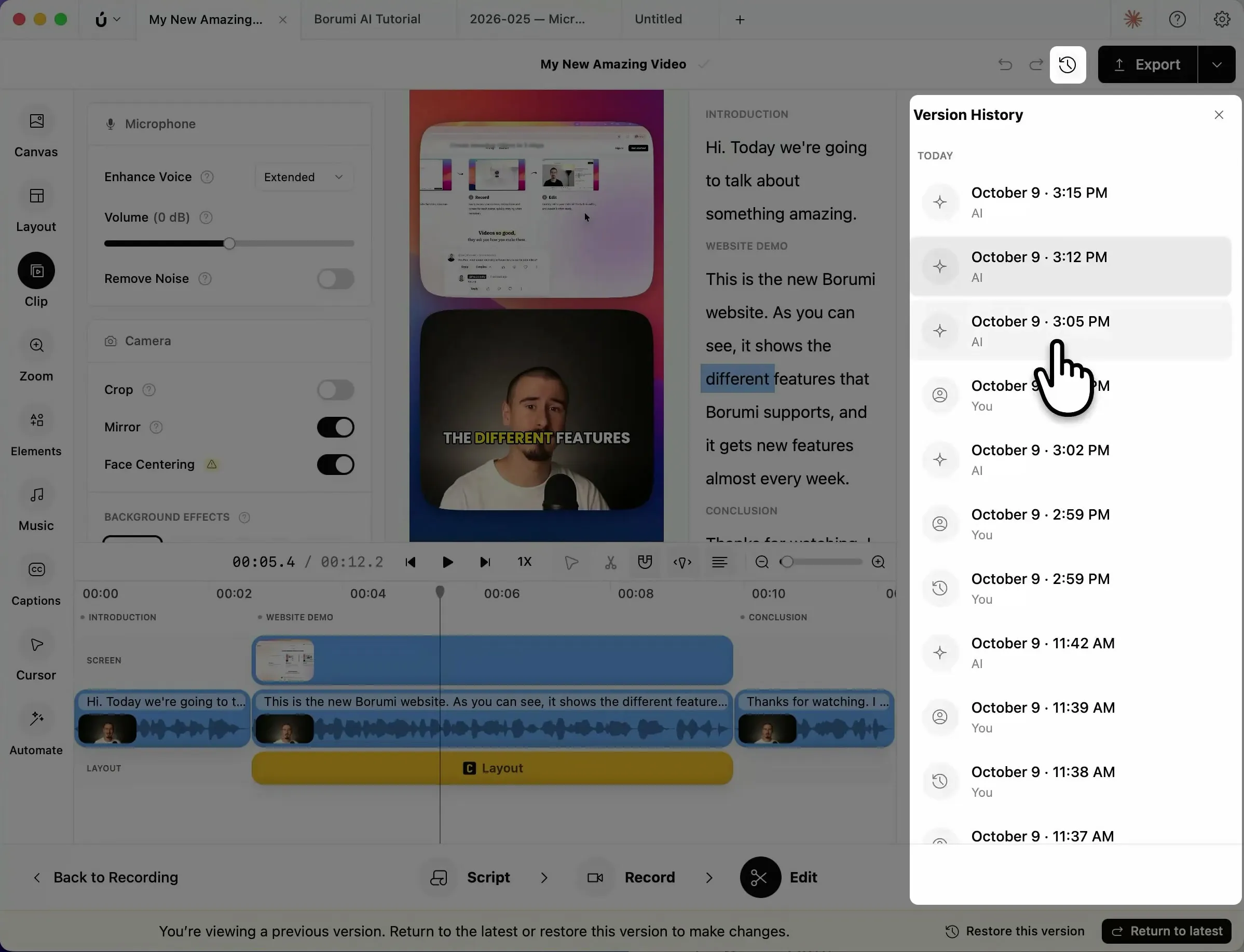
Open the version history
Section titled “Open the version history”To open the version history, click the clock icon at the top right. This opens the Version History panel, which lists all your changes. Under each change, you see who made it: You for a change you made yourself, or AI for a change made by an AI.
Restore a version
Section titled “Restore a version”- Click the version you want to go back to. Borumi shows the project as it was, so you can play it back and check it.
- In the bar at the bottom, click Restore this version.
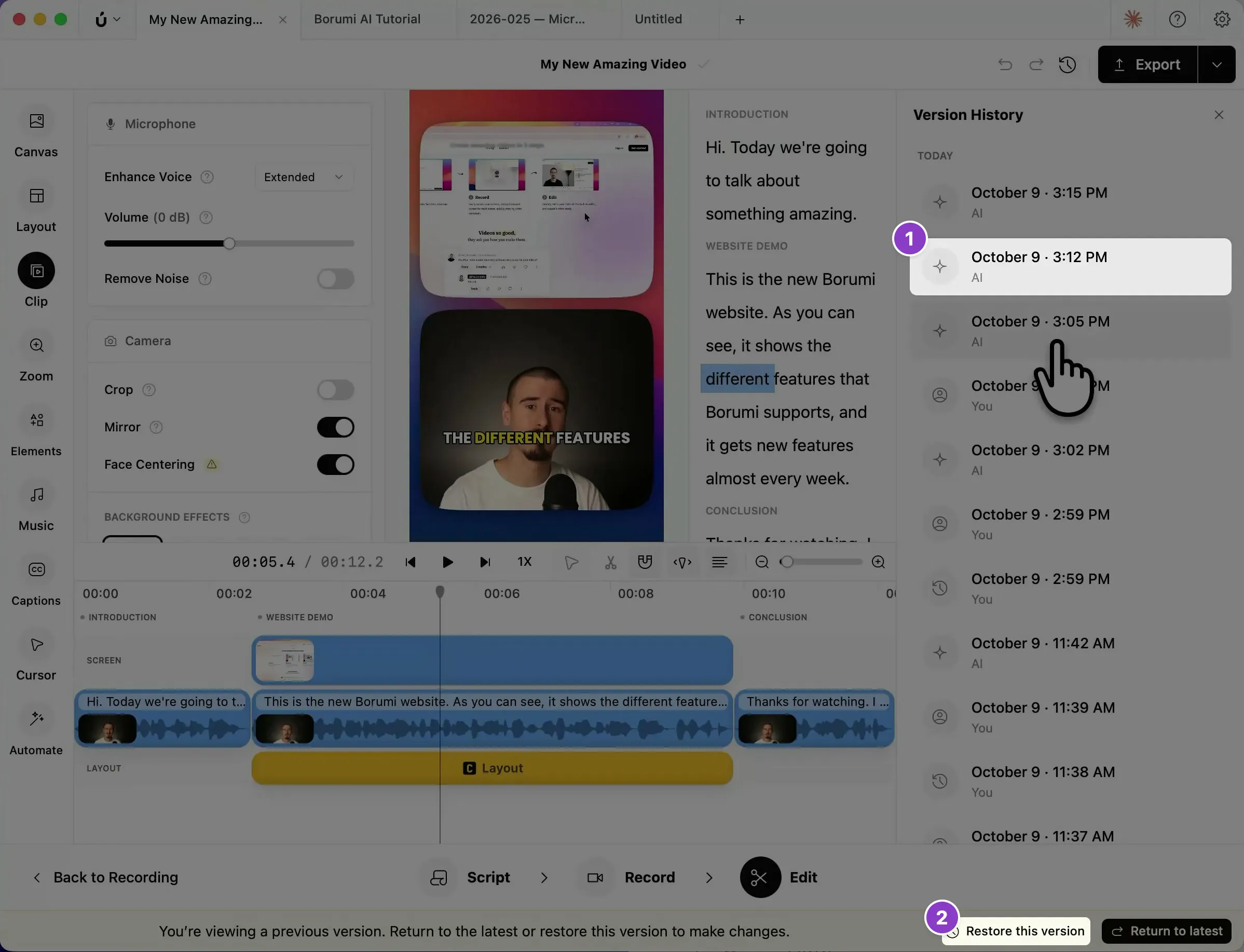
Borumi doesn’t delete anything when you restore: the restored state becomes a new version at the top of the list, so you can always change your mind.
To leave an earlier version without restoring it, click Return to latest.