
Prepare a video for YouTube
AI is really good at generating the description, chapters, and subtitles for your video, so you can upload it straight to YouTube. This guide walks you through the basics.


This video can't be played right now. Please try again later.
Ask for a YouTube package
Section titled “Ask for a YouTube package”Ask your AI, for example:
Can you package this video for YouTube? I want the title, a description with chapters, the SRT subtitles, and a thumbnail.
The AI reads your transcript to write the title, description, and chapters, exports the subtitles as an SRT file from Borumi, and makes a thumbnail. It saves the files and tells you where they are.
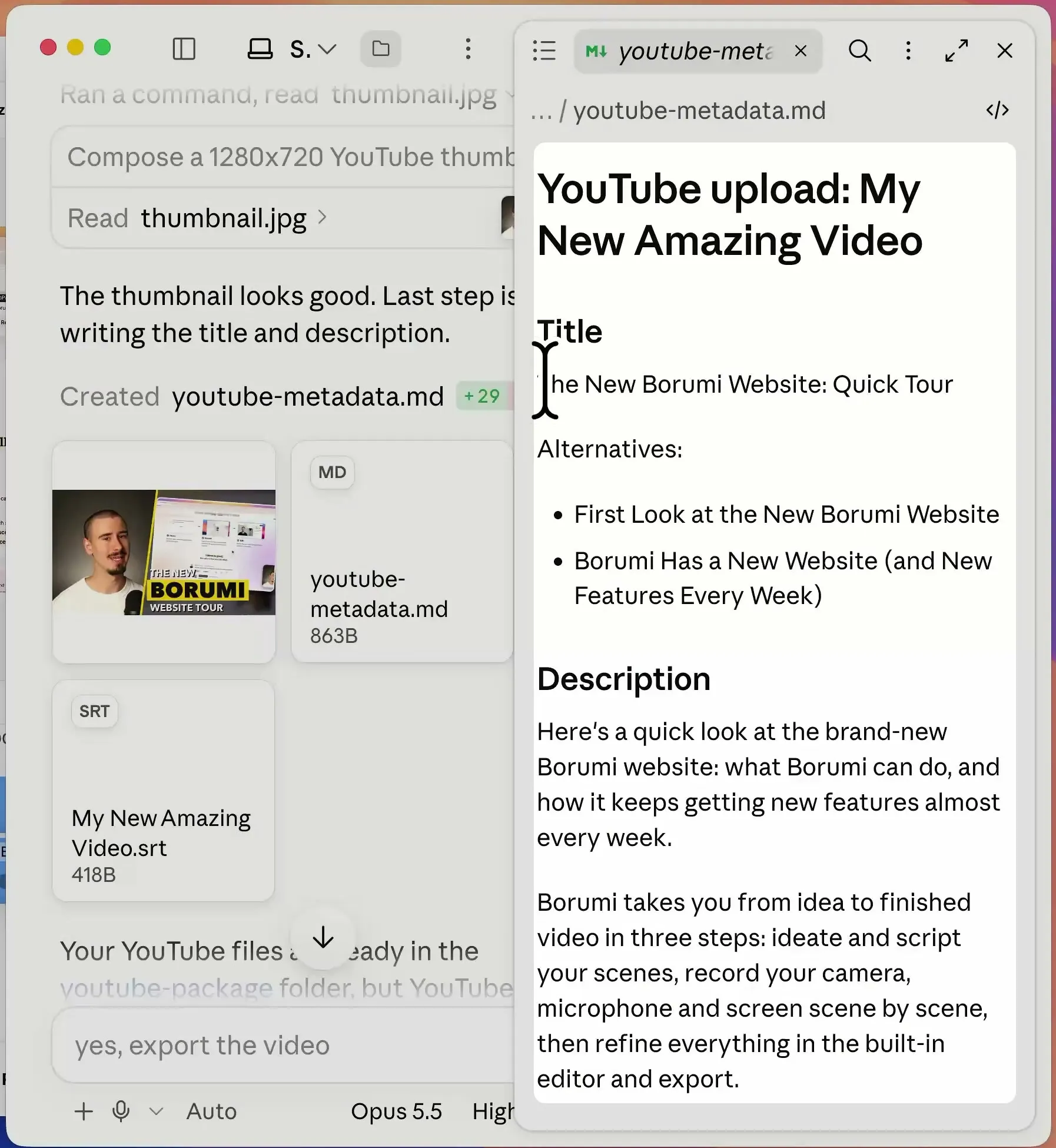
Upload the SRT file to YouTube as subtitles.
Match the style of your channel
Section titled “Match the style of your channel”AI is much better at copying a style than guessing one. Give it examples:
- Paste the titles and descriptions of a few past videos and ask: “Write the new title and description in the same style.”
- Share your thumbnails and ask for a new one that looks like them.
- Give it a link to your YouTube channel and ask it to follow the same style.
If you publish often with the same format, save these instructions as a skill so you don’t repeat them. See Teach AI your editing style.
Export the video too
Section titled “Export the video too”You can also ask the AI to export the video for you, so it can handle the whole publishing process. For example:
Export the video in 4K at 60 fps for YouTube.